
Comments & Threads
A comment in riff is a file on your disk until you decide otherwise. That’s the whole design: an interrupted review is a directory of Markdown files, not a lost tab.
Writing one
Section titled “Writing one”| From | Key |
|---|---|
| The diff, on the cursor’s line | c |
| The diff, on a range | V to select, then c |
The diff, in $EDITOR |
C |
| The comments panel | n |
| A reply to the focused thread | r, or R for $EDITOR |
| A PR-level comment, not on any code | Add PR Comment in Ctrl+p |
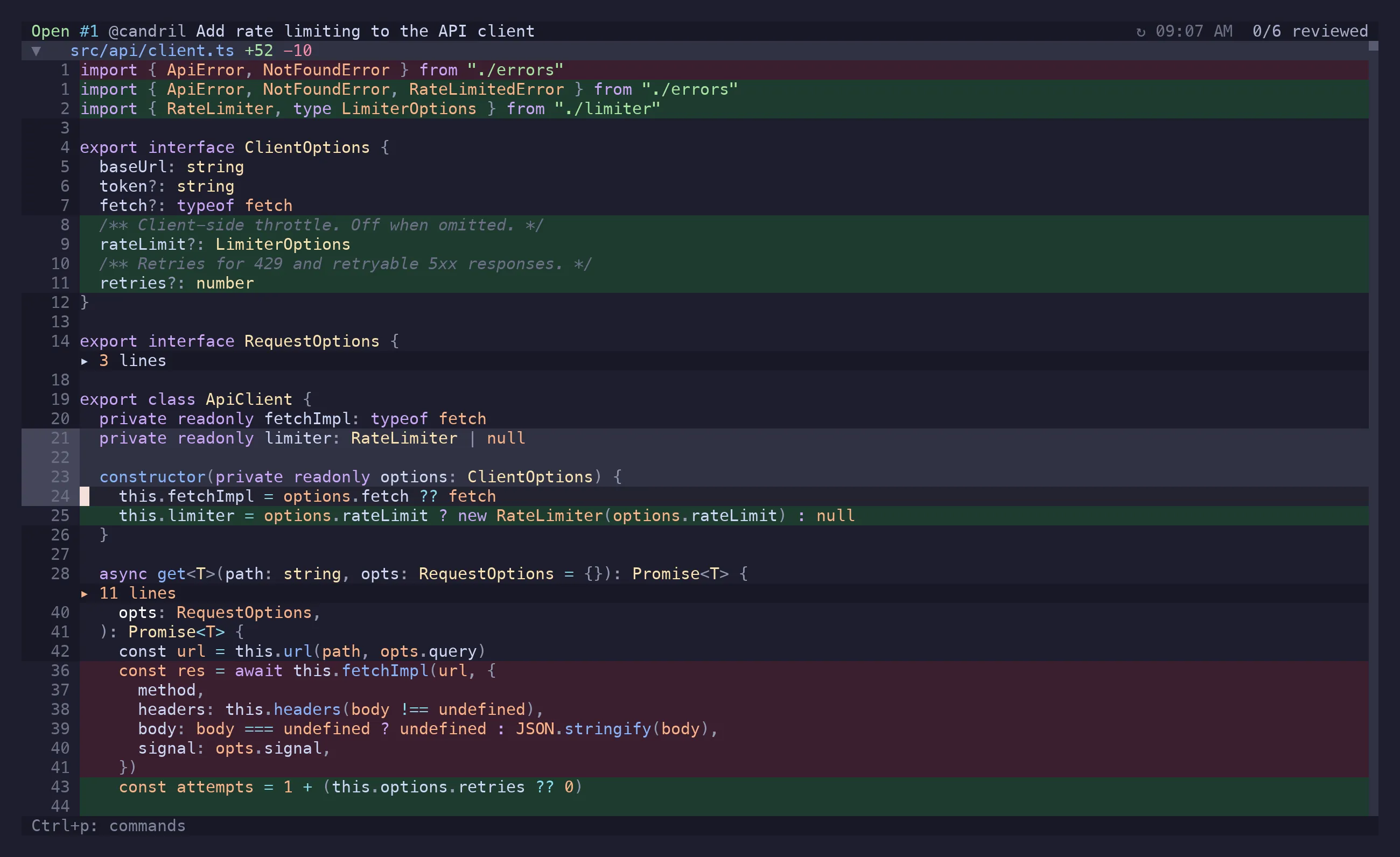
Writing a comment always starts a thread — on a line that already has one as much as on a
line that has none, and the composer says New thread when that is what it is. Replying is
something you ask for: open the thread and press r. GitHub tells the two apart the same way.
The draft opens in the comments panel with the anchor shown above it. Enter or Ctrl+s saves
it locally, Ctrl+p saves and posts it in one go, Ctrl+j is a newline, and Ctrl+g moves the
half-written draft into $EDITOR and brings the result back.
Suggestions
Section titled “Suggestions”Ctrl+y in a draft writes a ```suggestion block prefilled with the lines the comment
is anchored to, as they read now. Edit them in place; GitHub shows the result as a change the
author can apply with one click. A comment written on a range covers the whole block, so the
suggestion replaces exactly the lines that were selected.
: and a letter or two opens an emoji picker — :roc finds 🚀, :lgtm finds 👍, :broken
finds 🐛 — with the mention picker’s keys: ↑/↓ to move, Tab or Enter to accept, Esc to
dismiss. Accepting inserts the emoji itself, which GitHub renders and riff’s own panel can show.
A bare colon does nothing, and Enter stays a newline while nothing matches.
Mentions
Section titled “Mentions”@ in a draft opens a picker over the repo’s contributors, fetched once and cached for a day.
Teams and bots can’t be discovered through the API riff queries, so list the ones you use in
mentions.extra and they’ll show up alongside.
Where a comment can go
Section titled “Where a comment can go”GitHub decides this, and it’s narrower than the web UI suggests:
| Line | Commentable |
|---|---|
| Added or deleted | yes |
| Unchanged, but inside a hunk the diff shows | yes |
| Unchanged, only visible because you expanded a divider | no |
| The file as a whole | yes |
The last row of that table is why riff refuses an expanded line up front instead of letting you write a paragraph and then showing you a 422. No public API can anchor a review comment outside every hunk — the web UI manages it by re-resolving positions server-side, and that path isn’t exposed. Expanding context is for reading.
When GitHub does reject something, riff shows GitHub’s own message rather than gh’s generic
“Validation Failed”, with a hint for the three failures that actually happen: an unresolvable
line, a pending review already open on the PR, and a stale head commit.
Local, pending, synced
Section titled “Local, pending, synced”Every comment carries a status:
- local — written by you, on disk, invisible to everyone else.
- pending — submitted as part of a review that GitHub hasn’t published yet.
- synced — live on GitHub.
Editing a synced comment doesn’t overwrite it; the edit is kept alongside the original until you
gs, so the panel can show you the two and a failed sync can’t lose your text.
A local thread you resolve with x is done, not pending: it is never published — not by
gS, not by gs, not by S. That’s how a local review says “handled”, and why resolving is
safe to do before anything has left the machine.
Publishing is always explicit:
| Key | What goes up |
|---|---|
gS |
Every local comment, batched into one review, with a verdict |
gs |
Edits to synced comments, replies, resolutions |
Ctrl+p in a draft |
That one comment, immediately |
S on a comment |
The same, from the panel |
See GitHub Workflow for what each of those actually sends.
Threads
Section titled “Threads”Replies group into threads under their root comment. ]r/[r walks the cursor from thread to
thread across the whole diff, Enter opens the one you’re on, and once the panel is open J/K
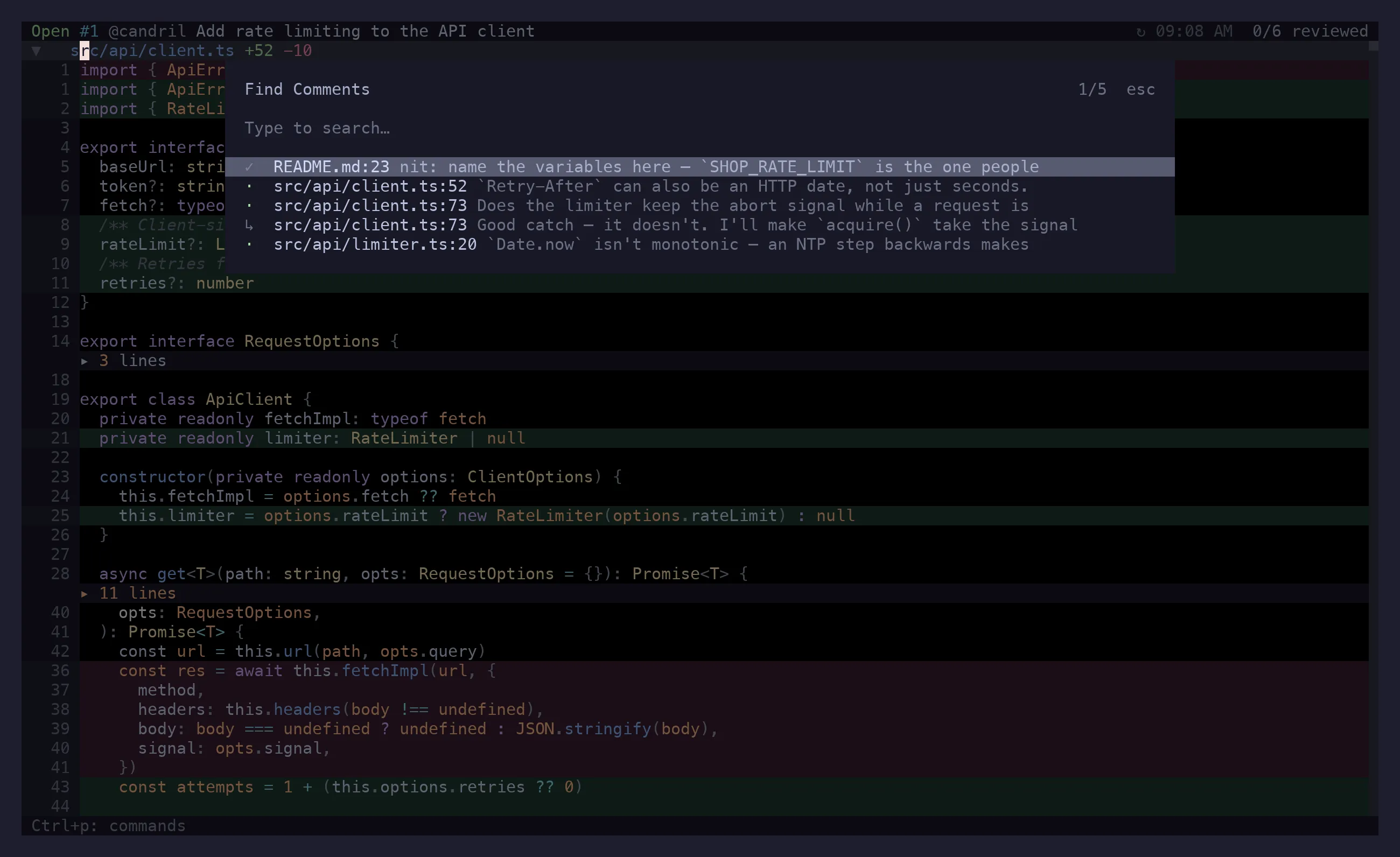
move it along; ]R/[R skip resolved ones. gC is a fuzzy search over every comment in the
PR — author, body, file — for when you remember the sentence but not the file.
In the panel, with a thread focused:
xtoggles resolved. Resolved threads collapse to their root so they stop taking up the screen;zaopens one back up.rreplies, re-anchoring to that thread’s file and line first — so replying after you’ve navigated elsewhere still lands in the right place.eedits your own comment,ddeletes it (with a confirmation).ycopies a GitHub link to the comment.oopens its file at its line in$EDITOR.Oopens the images the comment carries in your browser.
Images
Section titled “Images”riff can’t draw a screenshot in the terminal, and GitHub serves attachments to a browser session,
so on a private repo it can’t even fetch them. A comment’s images show up as ▣ rows naming each
one — alt text, or the file name — and O hands them to your browser, which is signed in.
HTML in comments
Section titled “HTML in comments”Comment bodies render as markdown. Tables are drawn with wrapping cells — a row grows to its
tallest cell rather than losing everything past the first line, which is what the underlying
renderer does on its own. The HTML people write in GitHub comments is
translated first, since the markdown renderer would otherwise print the tags: <br> becomes a
line break (a middle dot inside a table cell, where a newline would end the row), <b>/<i>/
<code> become their markdown equivalents, an <a href> becomes a link, and a <details> block
is shown open with its summary as a heading — there is nothing to click in a terminal.
Tags with no obvious meaning are left as they are rather than guessed at, and anything inside a code span or fence is untouched: there, the tag is the text the author meant to write.
Outdated threads
Section titled “Outdated threads”A thread whose anchor no longer matches the PR head is marked outdated. It keeps the diff hunk it
was written against, and za shows you that hunk — usually the only way left to work out what
the comment meant. ]o/[o navigates files in the same situation: ones you marked viewed that
have changed since.
Links in a comment
Section titled “Links in a comment”gx lists the links in every comment the panel is showing — the highlighted one first, each row
saying who wrote it — and opens the one you pick; Ctrl+y copies it instead, and gX opens the list ready to copy. A #1213 is listed
as the pull request it points at, title and state included, which is the part a terminal’s own
click-the-URL cannot do for you.
Reactions
Section titled “Reactions”React… in the action menu adds or removes a reaction on whatever comment is focused — in the
panel, the picker, or the PR overview. Reactions come down with the PR and update optimistically.
On disk
Section titled “On disk”Comments are Markdown files with YAML frontmatter, under .riff/ in the repo:
.riff/├── comments/│ ├── gh-owner-repo-123/│ │ ├── <uuid>.md│ │ └── <uuid>.md│ └── local/│ └── <uuid>.md├── gh-owner-repo-123/│ └── viewed.json├── mentionable-users.json└── session.jsonA pull request has an identity, so its comments are filed under it. A revset does not:
riff, riff @- and riff abc123 are the same person’s notes on the same worktree and all
share local/ — a comment is anchored to a file and a line, not to the range it was written
under. Notes an older riff filed per revset are moved into local/ the first time you open it.
One file per comment:
---id: 6f1c…filename: src/api/client.tsline: 19side: RIGHTcreatedAt: 2026-03-04T10:12:00.000Zstatus: localcommit: 3b1f2ad---
does this keep the abort signal?
<!-- context -->```diff@@ -18,7 +18,9 @@-  const res = await fetch(url)+  const res = await limiter.run(() => fetch(url))```
Which means a draft is greppable, diffable, and editable in your editor if you’d rather. Deleting the directory throws away unpublished work and nothing else.
Where .riff/ ends up for a PR from a repo you’re not sitting in is the
storage config’s job.
A review without GitHub
Section titled “A review without GitHub”riff on the working copy, c on the lines, q — the comments are in .riff/comments/local/
and nothing else happens. Three ways to take it from there:
Act on them with Claude. Install riff’s plugin once —
claude plugin marketplace add candril/riffclaude plugin install riff@riff— or, without a marketplace, drop the skill straight in:
riff comments install-skill # this reporiff comments install-skill --global # ~/.claude, every repoEither way, in any Claude Code session in the repo: “look at the riff comments”. It reads them with
riff comments --json (anchor, body, the diff hunk they were written against), makes the
changes, and retires each one as it goes:
riff comments resolve 29a00758 # done — the thread will never be publishedriff comments remove 29a00758 # or delete it outrightriff doesn’t launch Claude and doesn’t hand anything over; the skill and the CLI are the whole
integration. Come back to riff and the resolved ones are folded, the removed ones gone: with
poll.onFocus on, a local session re-reads the diff and
.riff/ when the terminal regains focus, and gr does it on demand.
Clear them. Ctrl+p → Clear Local Comments deletes every local comment for the review
after a confirmation; riff comments clear does it from the shell. Synced comments are never
touched.
Or just leave them. Opening the PR later neither imports nor removes them — a PR review
keeps its own set under .riff/comments/gh-owner-repo-123/.
Claude-drafted comments
Section titled “Claude-drafted comments”riff never posts on Claude’s behalf. When a Claude Code session drafts an inline comment, riff raises a notification; Claude: Copy drafted comment in the action menu puts it on your clipboard and clears it, Claude: Dismiss drafted comment throws it away. What you do with the text after that is a normal comment, written by you.
The Claude actions in Ctrl+p go the other way — they hand a scope (the selection, the file, the
folder, a multi-select, or the whole diff) to a Claude Code session to talk about.