Read-only by default
allow_write is off on every profile. With it off, write commands are drawn disabled
with the reason — never absent, never failing at the broker.
brew install candril/tap/topiq # or: nix run github:candril/topiqtopiq --demo # an offline demo cluster — no config, no broker
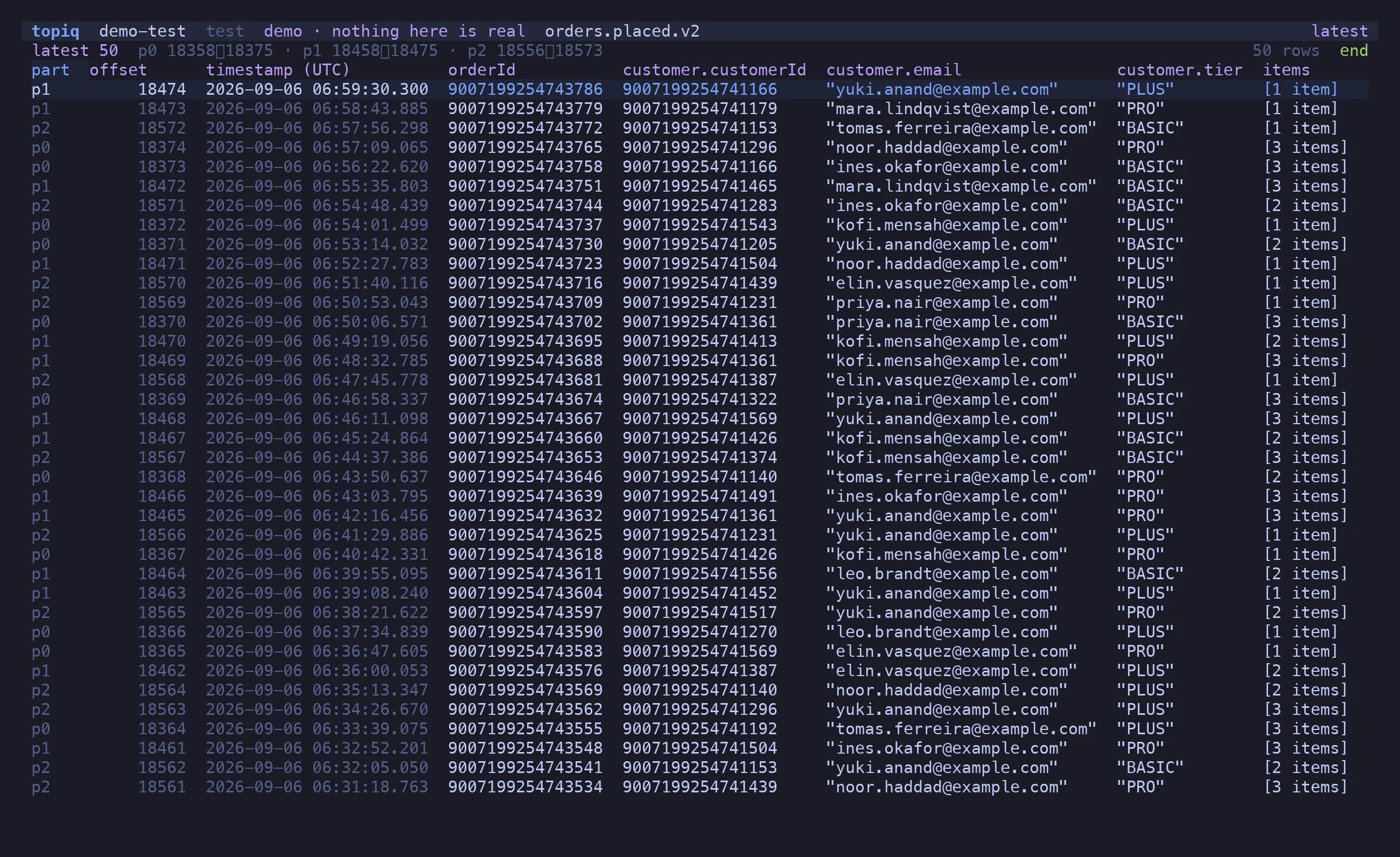
Open a topic and the latest 50 messages are there, newest first, with columns inferred from
the decoded payload — nested fields become customer.tier, arrays become [3 items]. Every
Avro long is a BigInt: an order id above 2^53 is printed exactly, never rounded, which is
the bug this tool was written to not have.
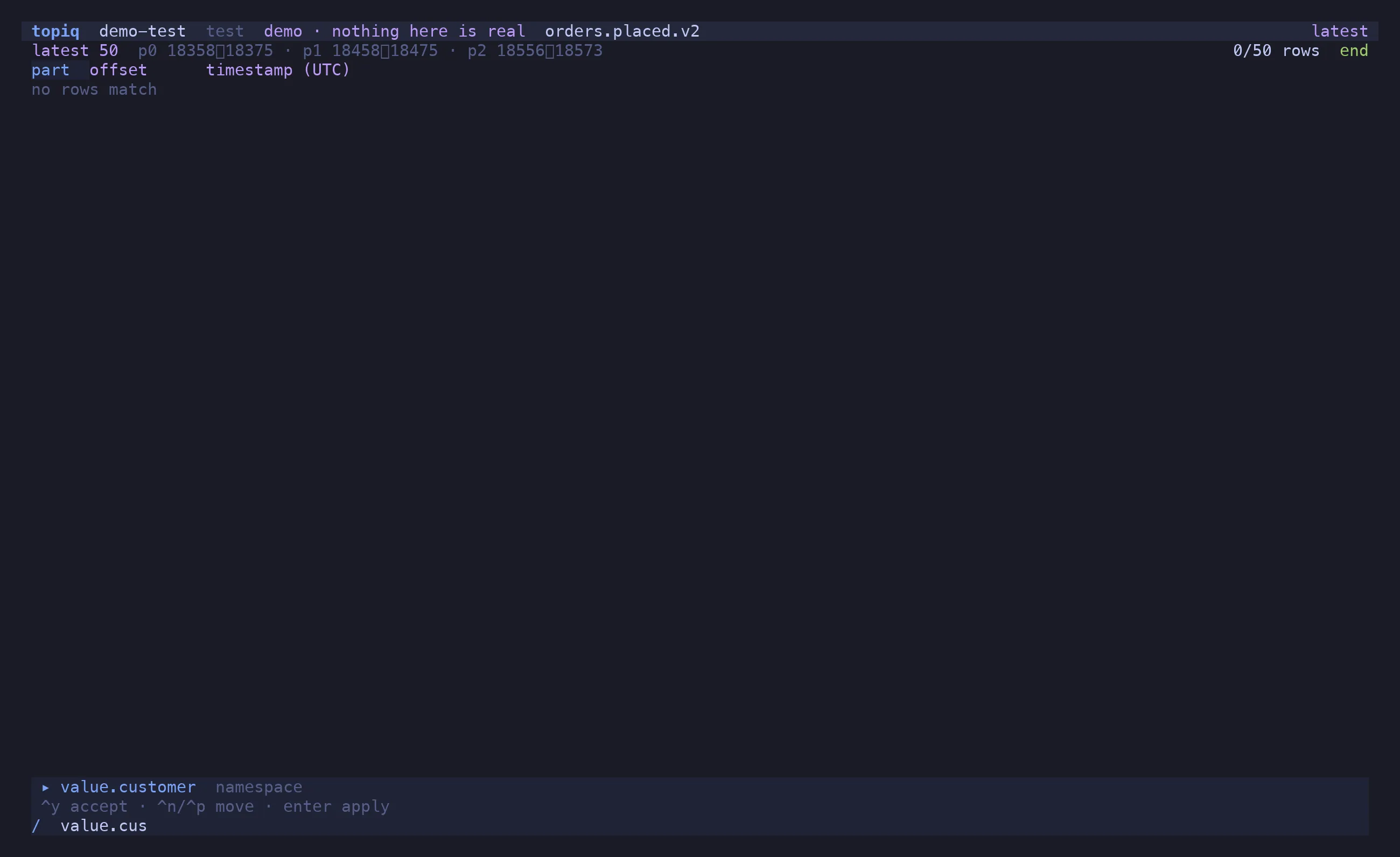
/ opens the filter bar. field:value, field>x, ranges, regex literals, negation,
nested paths — typed by the field’s decoded type, so key:12345 matches a BigInt key.
Fields autocomplete from what is actually loaded, one dotted segment at a time.
/ value.customer.tier:PRO value.total>200 two terms, implicit AND/ value.customer.email:/@example\.com$/ a regex on the rendered value/ -value.channel:STORE negation= switches to a raw predicate — (m) => m.value.items.length > 2 — that runs locally on
your own credentials. No sandbox to fight, no server-side filter language.
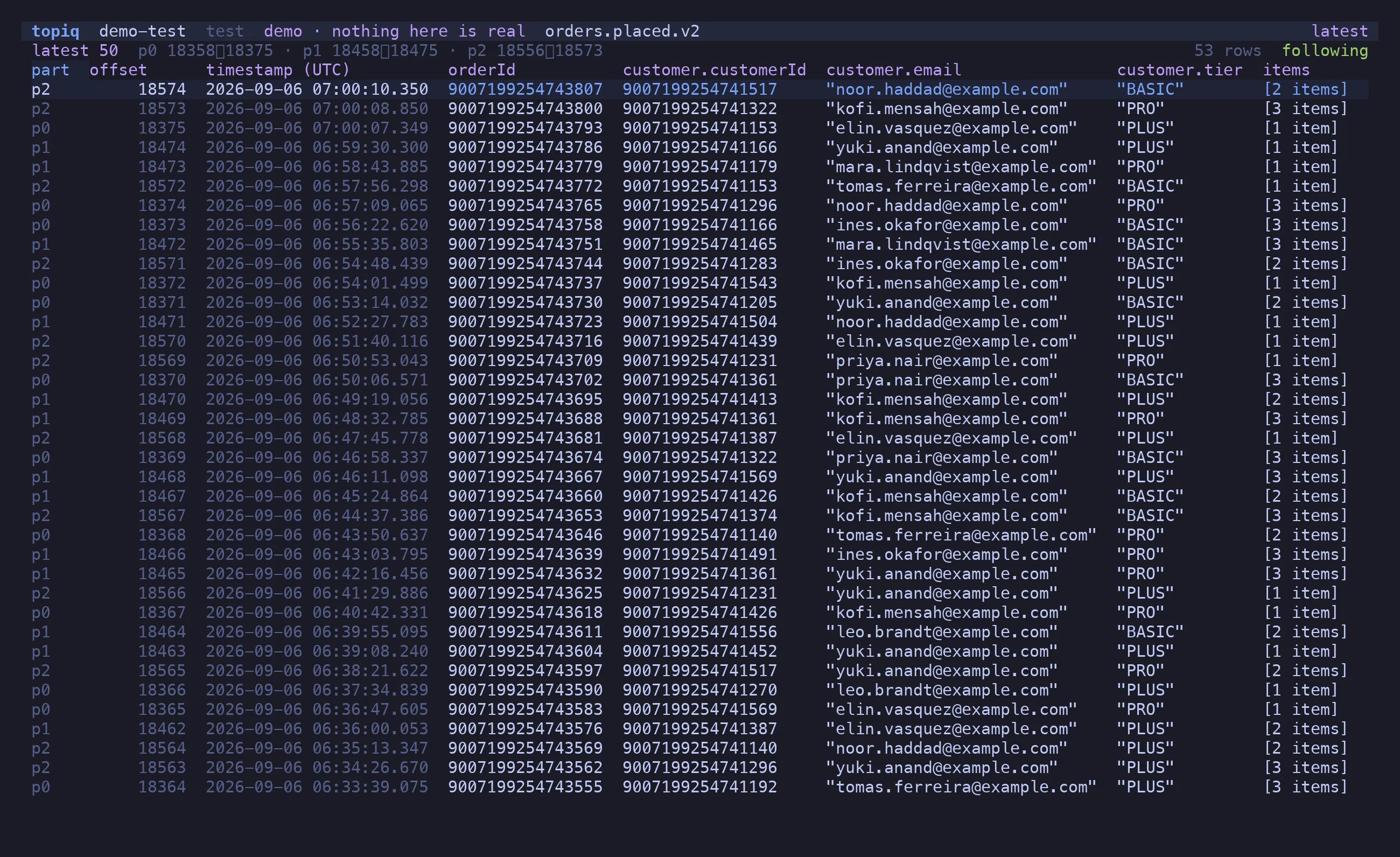
f follows the topic. Arrivals land at the top; the buffer is capped and every evicted or
dropped row is counted in the header, because a silently truncated tail is a lie about what
the topic contained. space pauses without disconnecting.
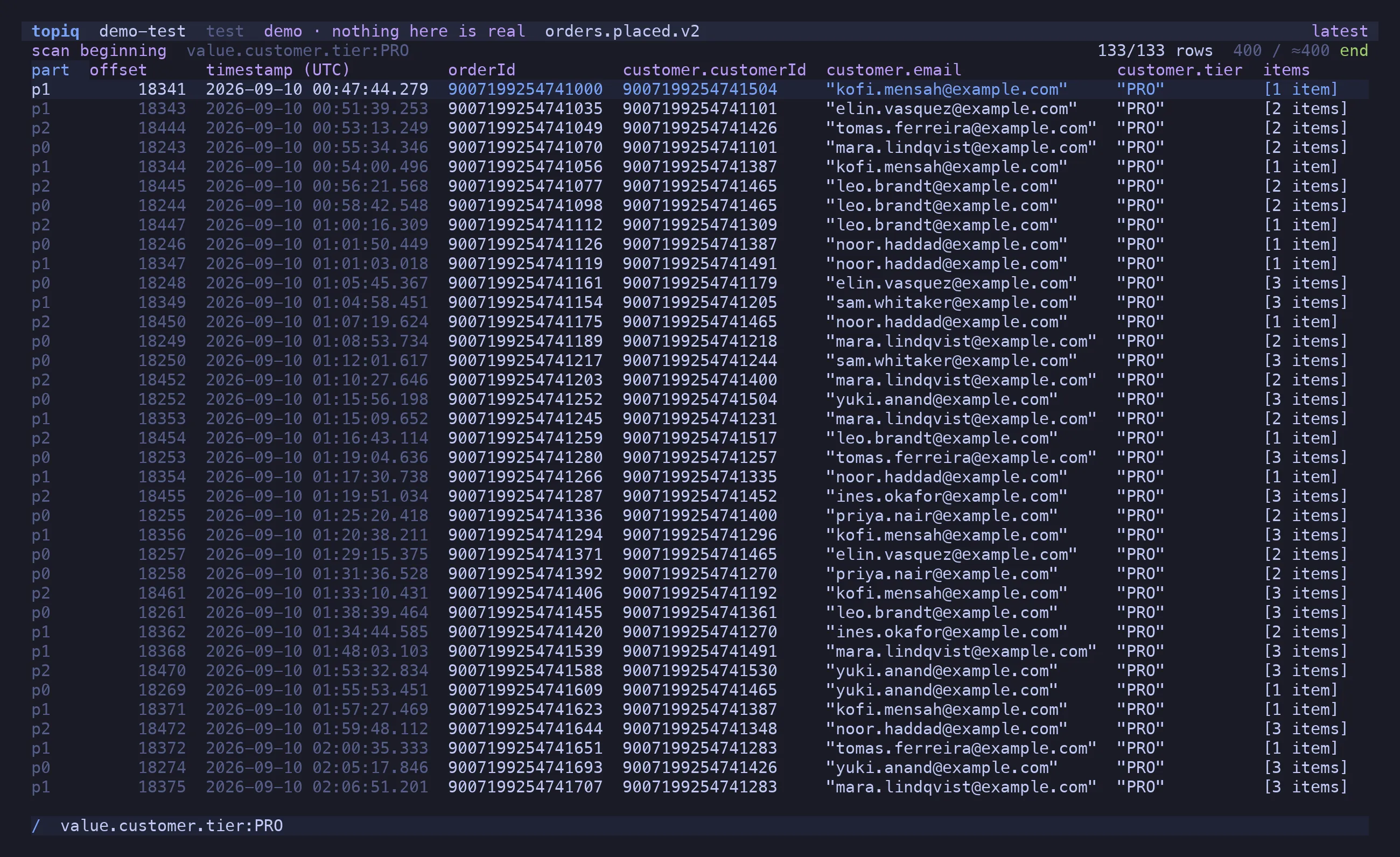
A window holds 10,000 rows at most, and the filter narrows that. ⇧S turns it around:
every message in the range streams through the filter and only the hits are kept, so
“the order with this id, somewhere in the last four million” is one keystroke after b.
The header shows how far the scan got and how fast; ⇧S again stops it, esc returns to
the window. Nothing is dropped on the way — when decoding falls behind, the fetch waits.
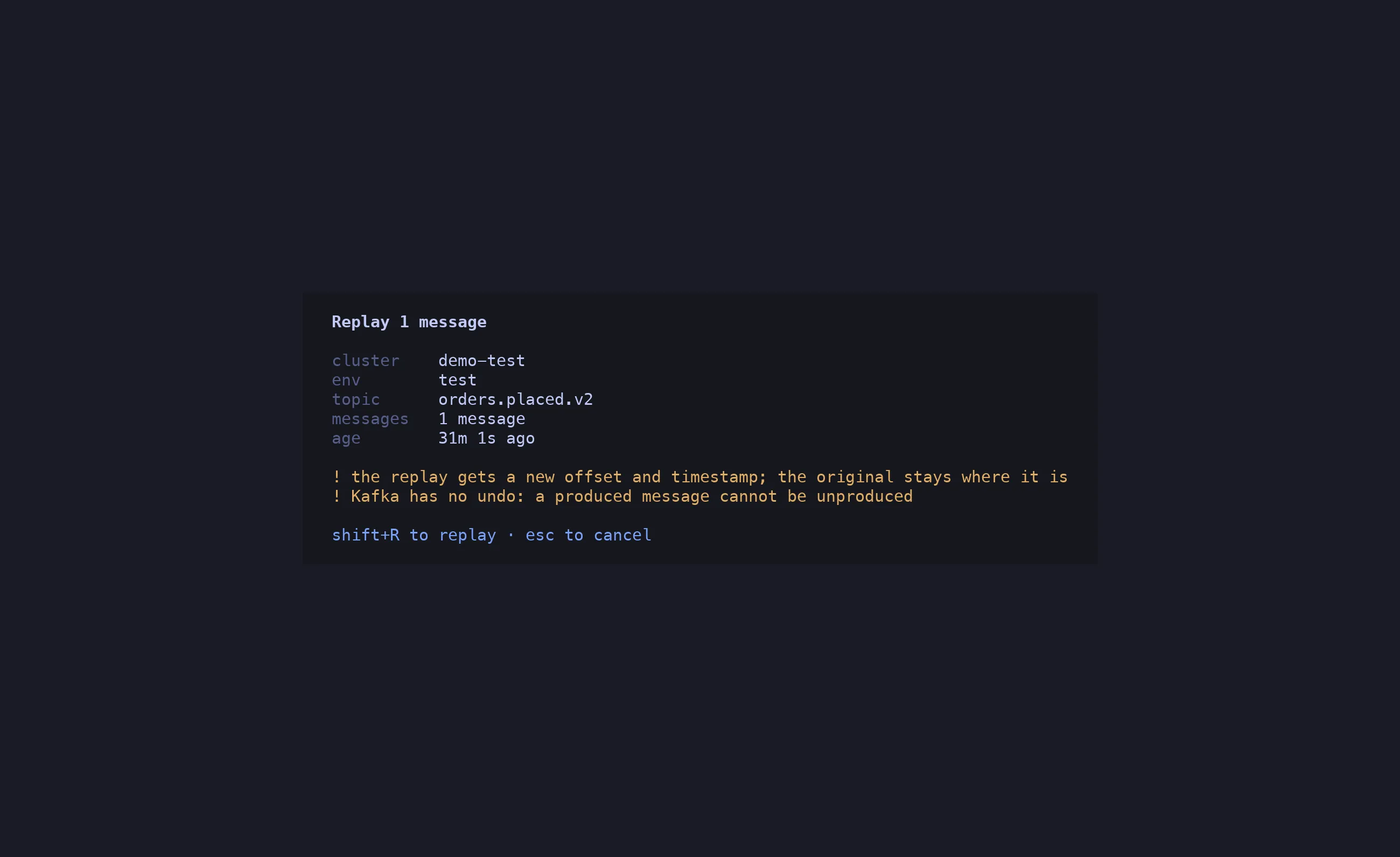
p re-produces the message under the cursor to its own topic: the raw key, value and
headers, verbatim. No decode, no re-encode, so the embedded schema id stays valid and the
bytes are provably identical. e decodes it into $EDITOR first, validates the edit
against the message’s own schema, and re-encodes. ⇧N crafts a new message from the
subject’s latest schema.
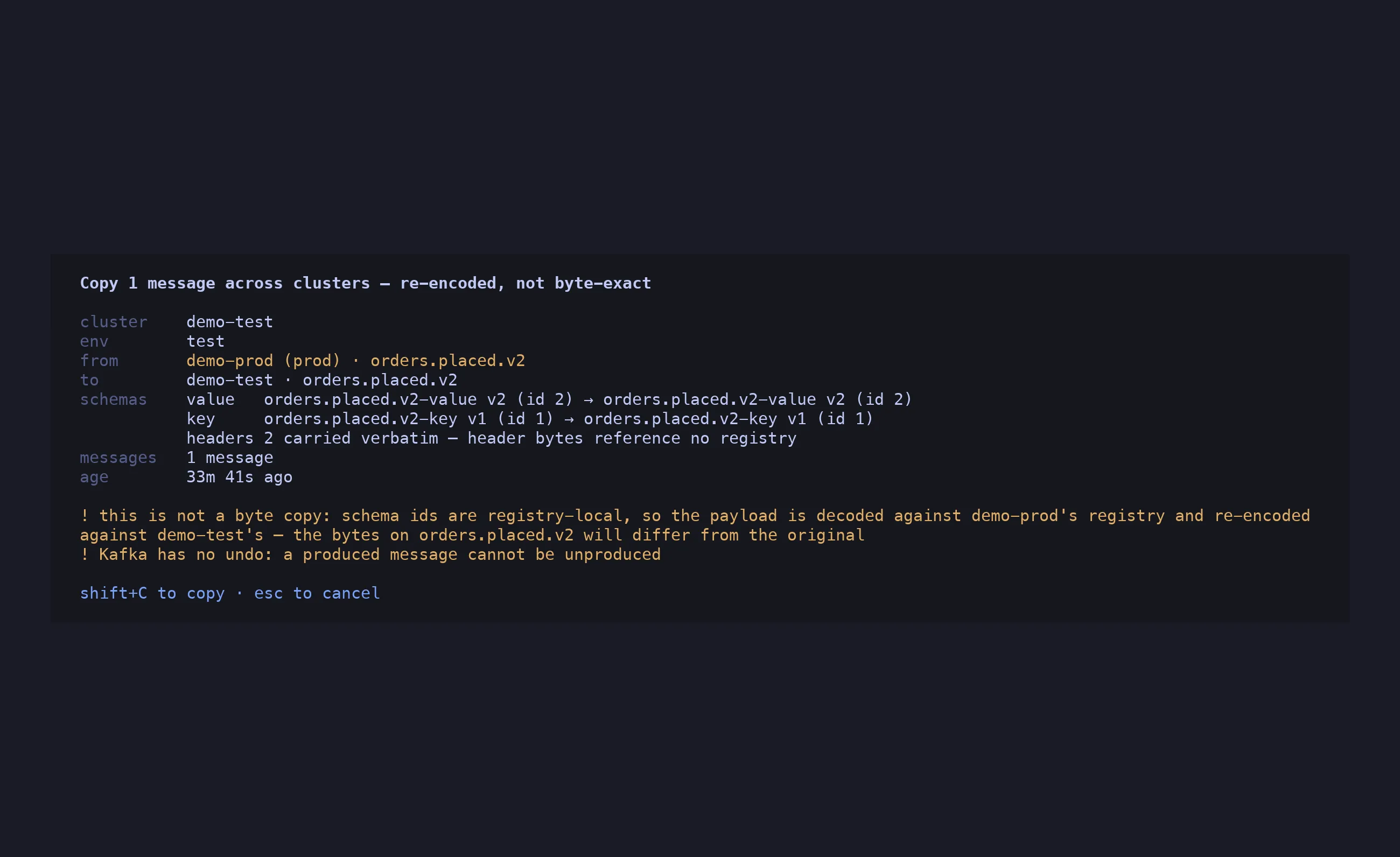
y copies a message to another cluster. Schema ids are registry-local, so this is never
a byte copy: topiq decodes against the source registry, re-encodes against the destination’s,
and the dialog names both subjects, both versions and both ids before you confirm. A prod
destination is sorted last and coloured — and must be typed by name.
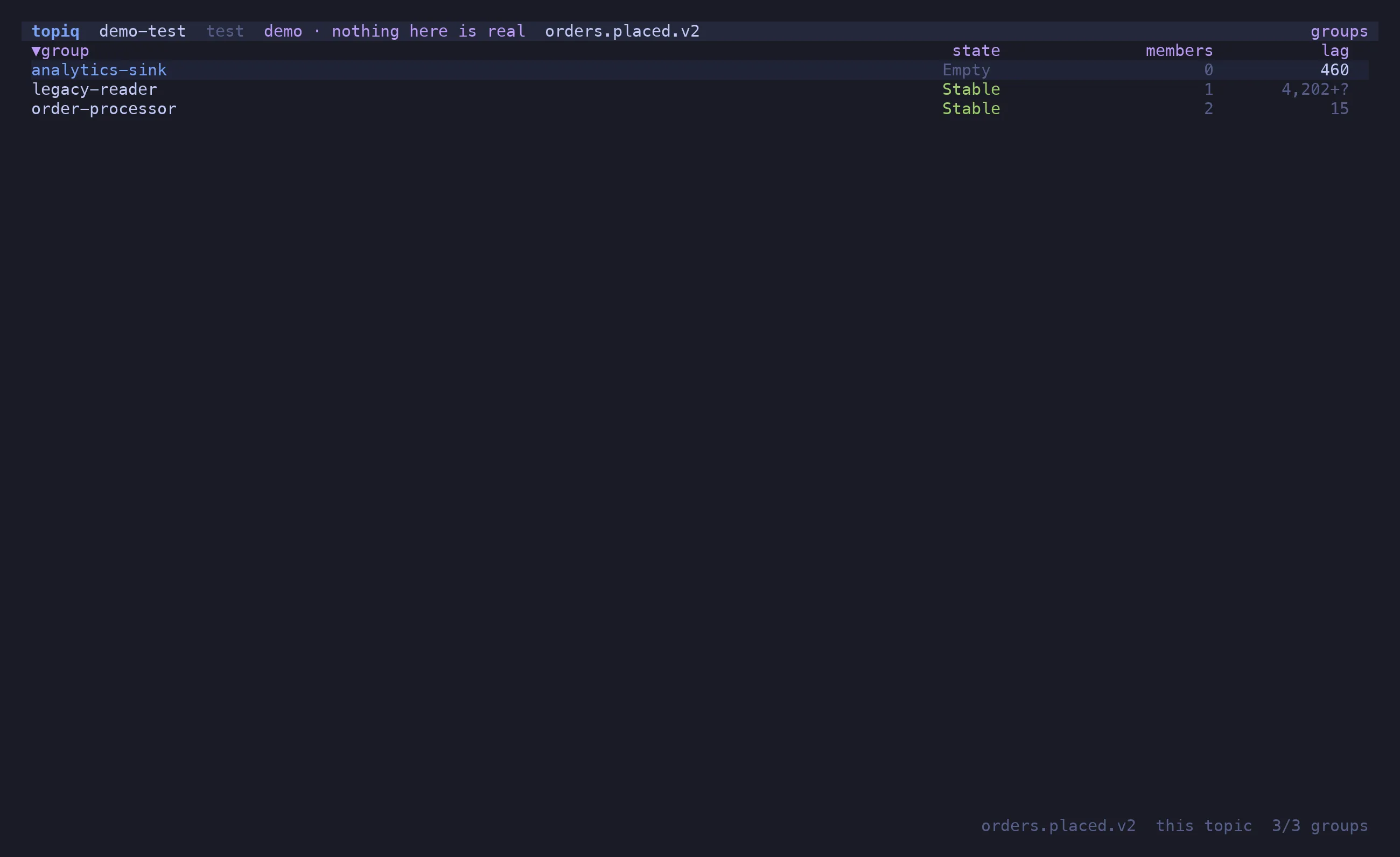
c on a topic lists the groups consuming it: state, members, lag per partition. Undefined
lag renders —, never 0. o moves a group’s committed offsets to an offset, a timestamp,
the beginning or the end — only when the group is Empty, checked again at the instant of
the write.
Read-only by default
allow_write is off on every profile. With it off, write commands are drawn disabled
with the reason — never absent, never failing at the broker.
One confirm dialog
Every write names the action, cluster, environment, topic and message age. A prod
target must be typed by name. y-on-Enter-by-reflex is not possible.
No secret on disk
password_cmd shells out to your vault on demand. The password lives in memory for the
session and is never logged or written.
Cluster families
Profiles carry group and env. The picker groups them, the header colours prod, and
“copy to the other environment” is one keystroke with the topic prefix mapped.
Ranges that make sense
Latest N (watermark arithmetic, all BigInt), from an offset, from a timestamp, from the beginning. Kafka only reads forward; topiq does the maths.
Columns you control
h/l walk the columns, s sorts by the selected one (BigInt compares as BigInt),
- hides it, c opens the picker, * filters by the cell under the cursor.
Command palette
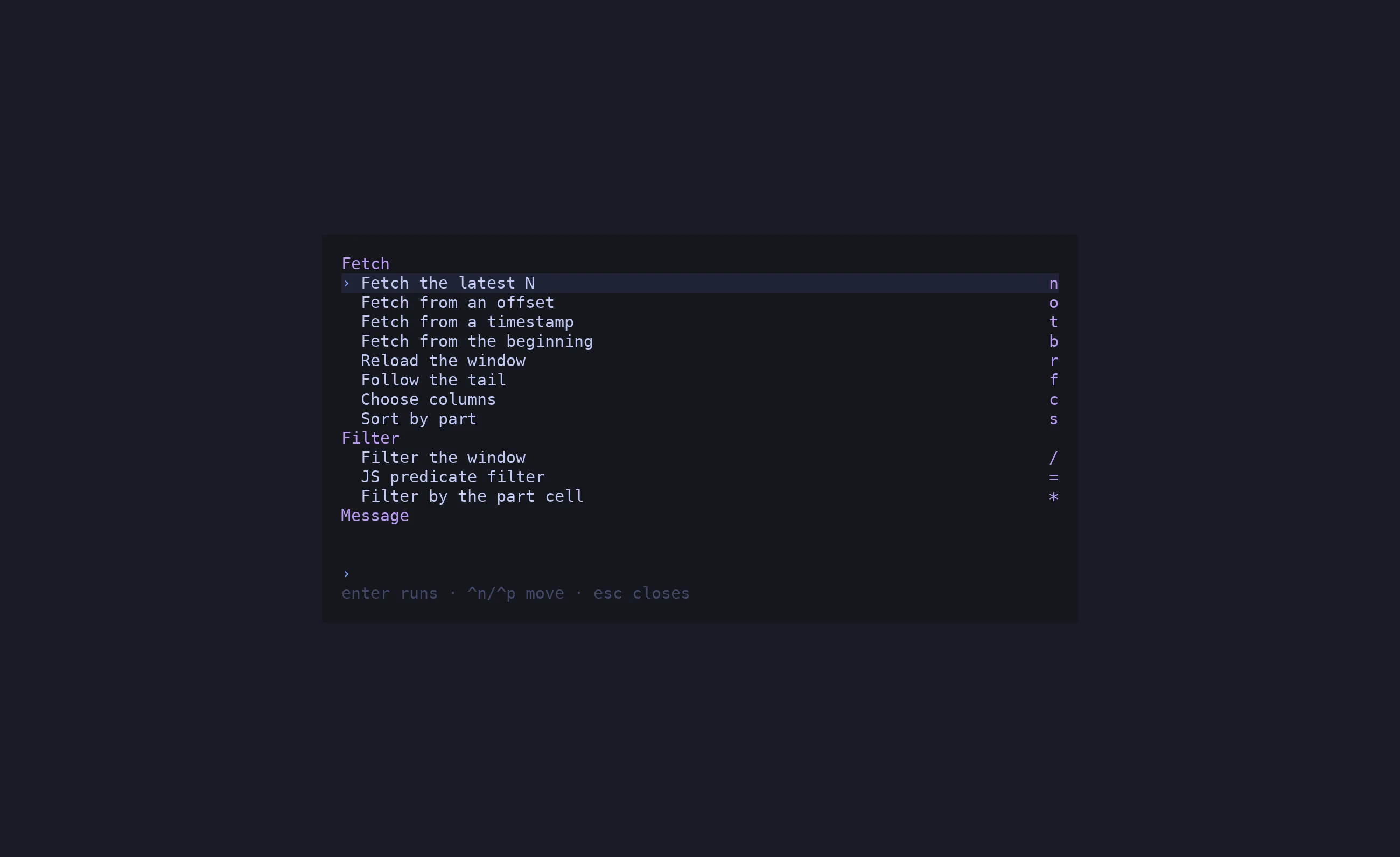
^P lists every action for the current screen with its key; a gated write is listed
dimmed with the reason. ? shows the whole keymap.
Try it offline
topiq --demo is a seeded in-memory cluster with real Avro, BigInt keys, a tombstone, a
decode failure and live arrivals. Writes work and are forgotten on exit.
brew install candril/tap/topiq # or: nix run github:candril/topiqcurl -fsSL https://raw.githubusercontent.com/candril/topiq/main/scripts/install.sh | bashSee the installation guide for the Nix flake, the installer’s variables, requirements and first run.