presto
brew install candril/tap/presto # or: nix run github:candril/prestopresto --demo # the built-in demo — no GitHub, no config
One list, whose move it is
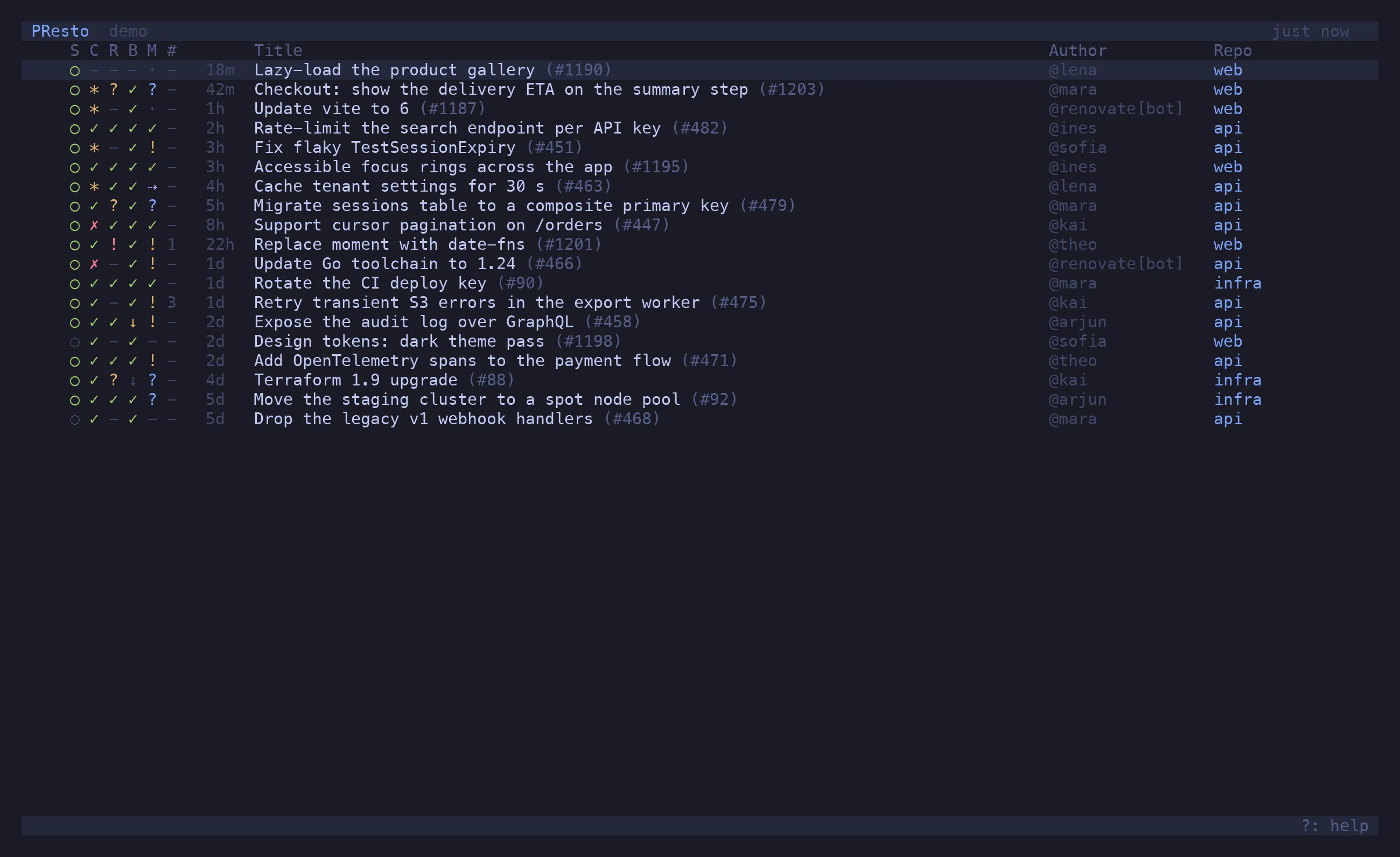
Section titled “One list, whose move it is”A PR row carries five glyphs: State, Checks, Review, Base and Merge. The
first four are the gates; the last one is the verdict — ✓ merge it, ! the author’s move,
? someone else’s, · a machine’s, ⇢ auto-merge will land it. Not blocked / pending /
ready: measured across real repos that put 86 % of PRs in “blocked” and told you nothing.
One tab per question
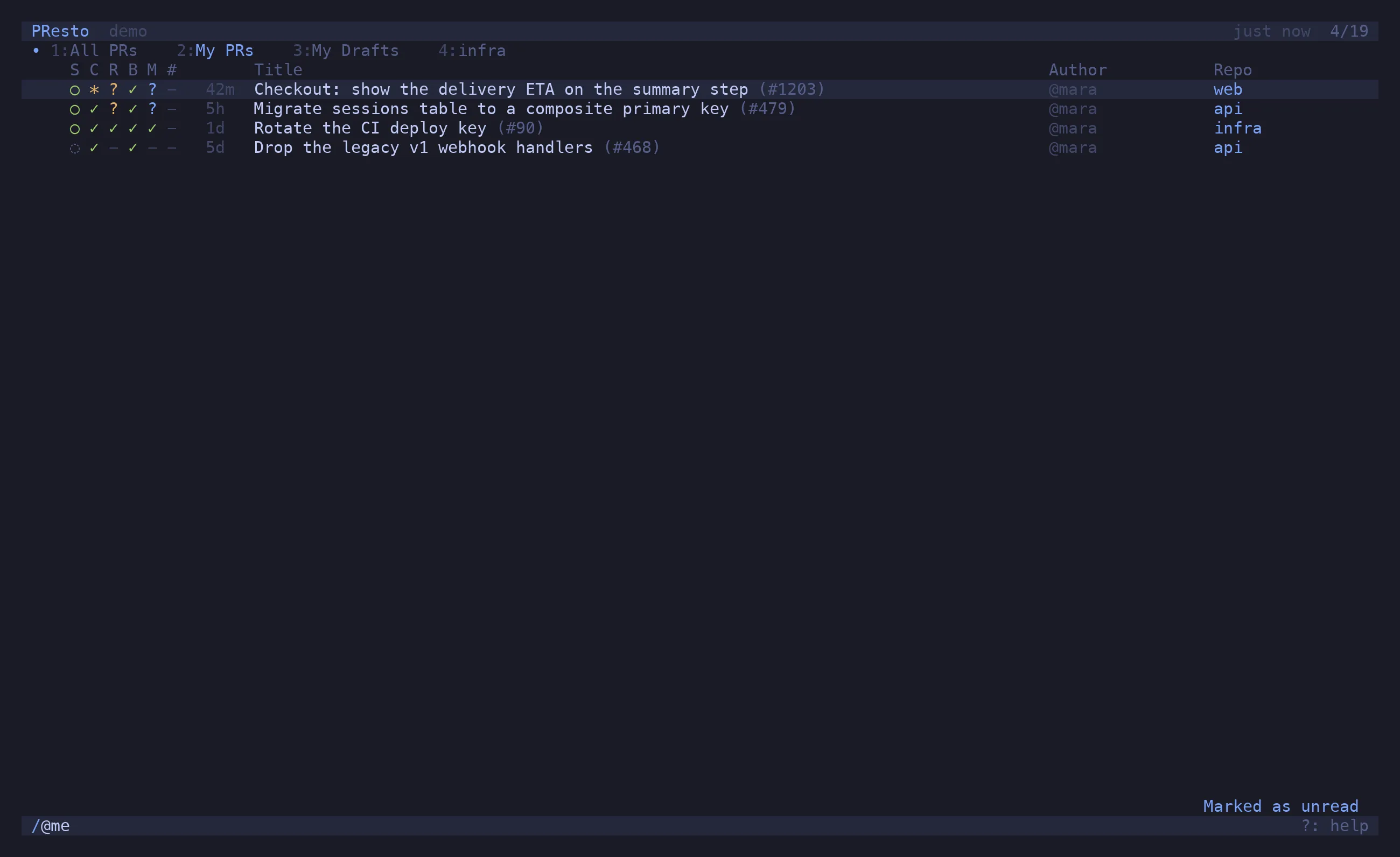
Section titled “One tab per question”t opens a new tab; / gives it a filter; the name follows — My PRs, Drafts, infra,
Unread. Every tab reads the same list, so five tabs cost one refresh, and each remembers its
own cursor. Number keys switch. A dot on a tab means something in it changed. All of it comes
back on the next launch.
The preview spells it out
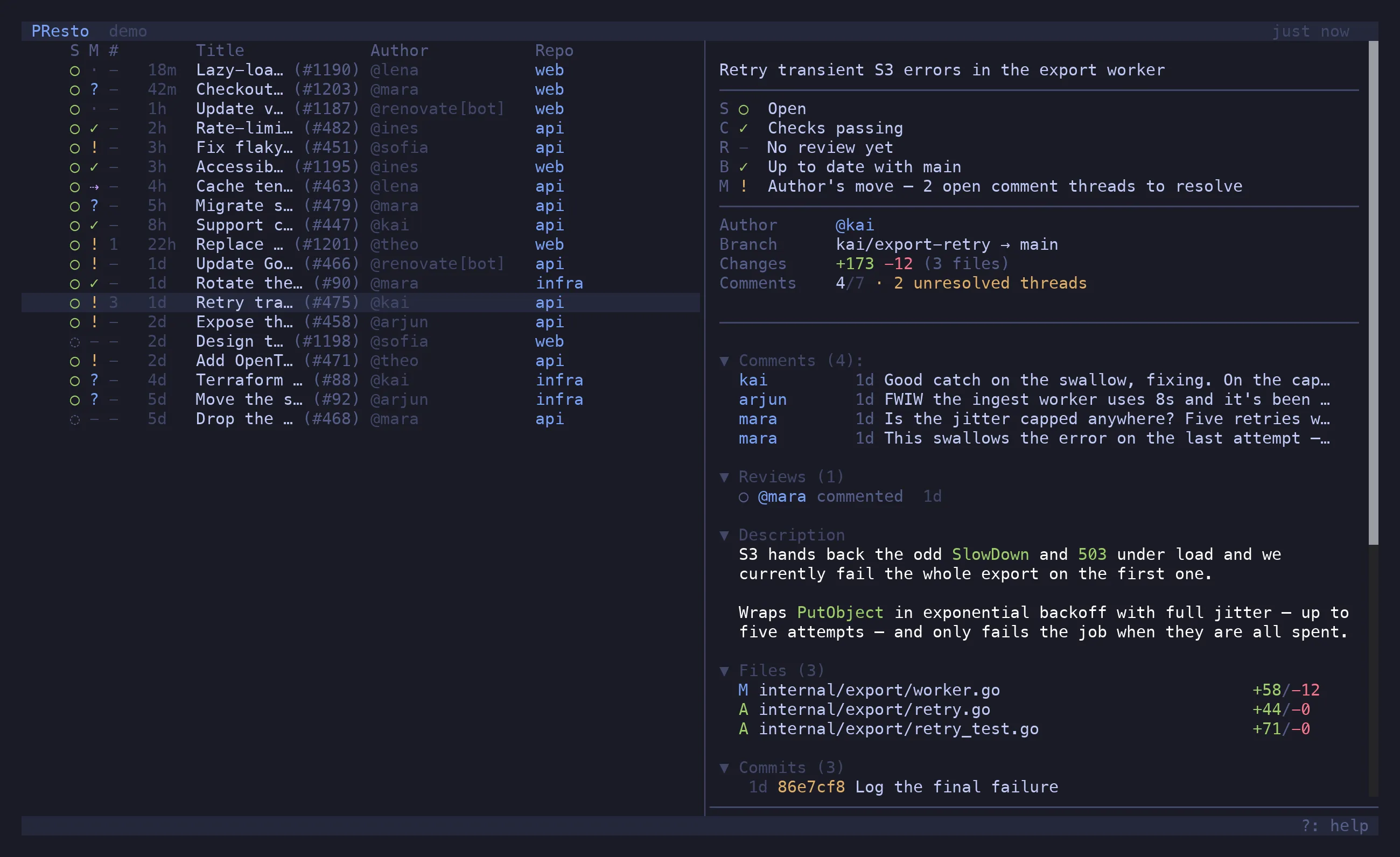
Section titled “The preview spells it out”p opens the same five columns with their meaning written out — Author’s move — 2 open
comment threads to resolve — then comments, reviews, the description as Markdown, files and
commits. P moves it to the bottom.
Act from the list
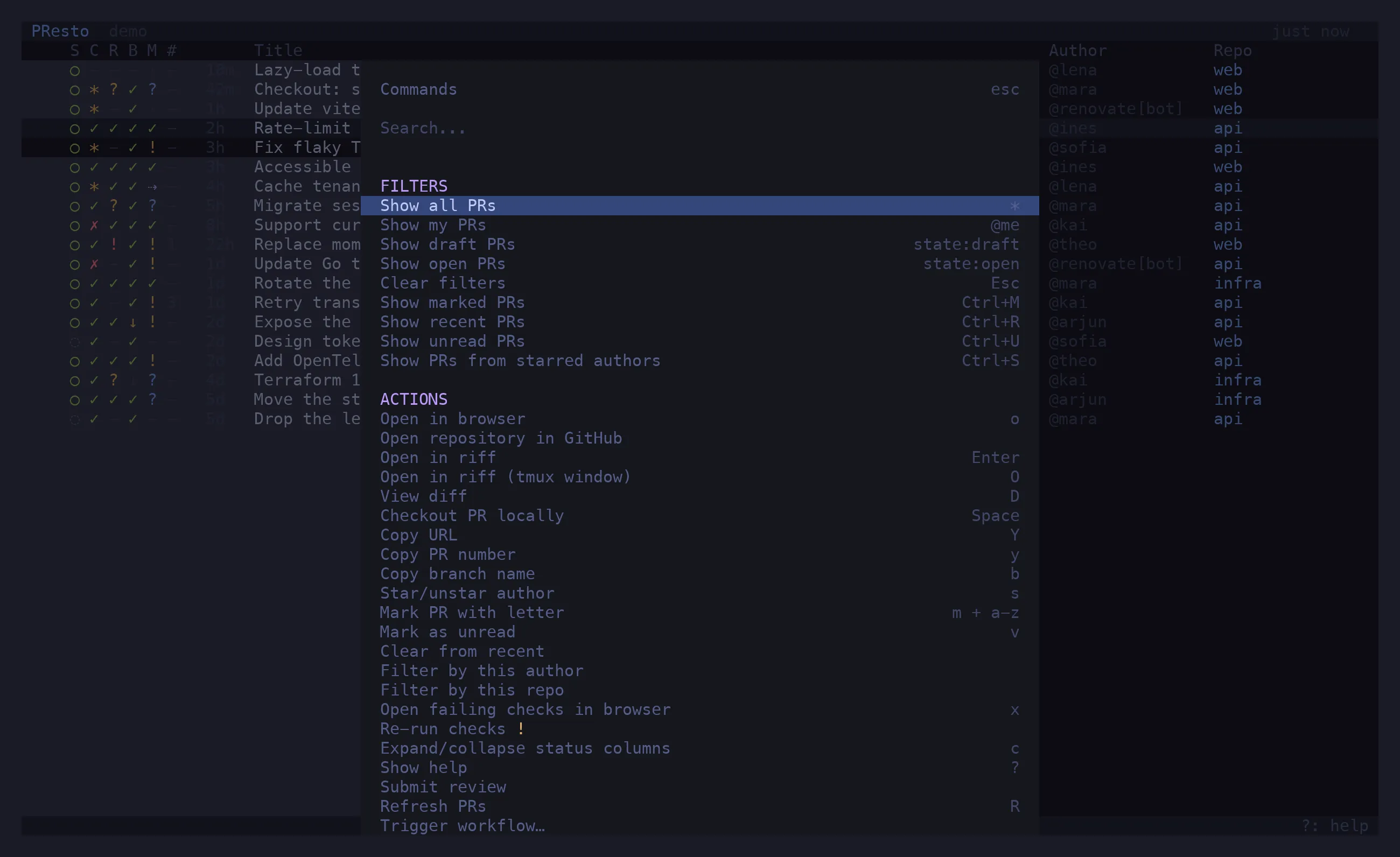
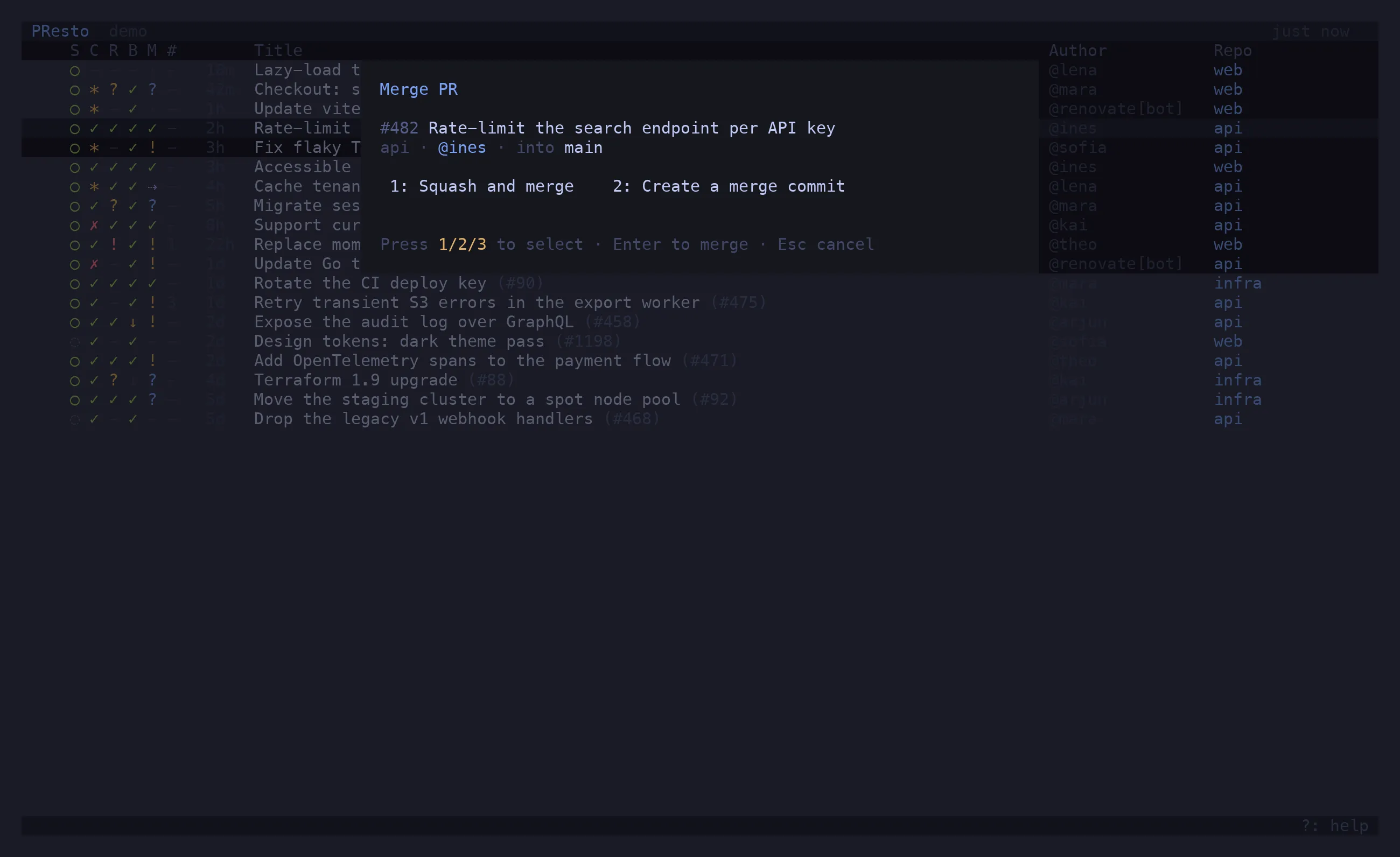
Section titled “Act from the list”^P lists every action for the selected PR with its shortcut: review, merge, arm auto-merge,
update the branch from base, re-run checks, trigger a workflow, checkout, open in riff or the
browser. A branch update shows ↻ until the next refresh proves it landed.
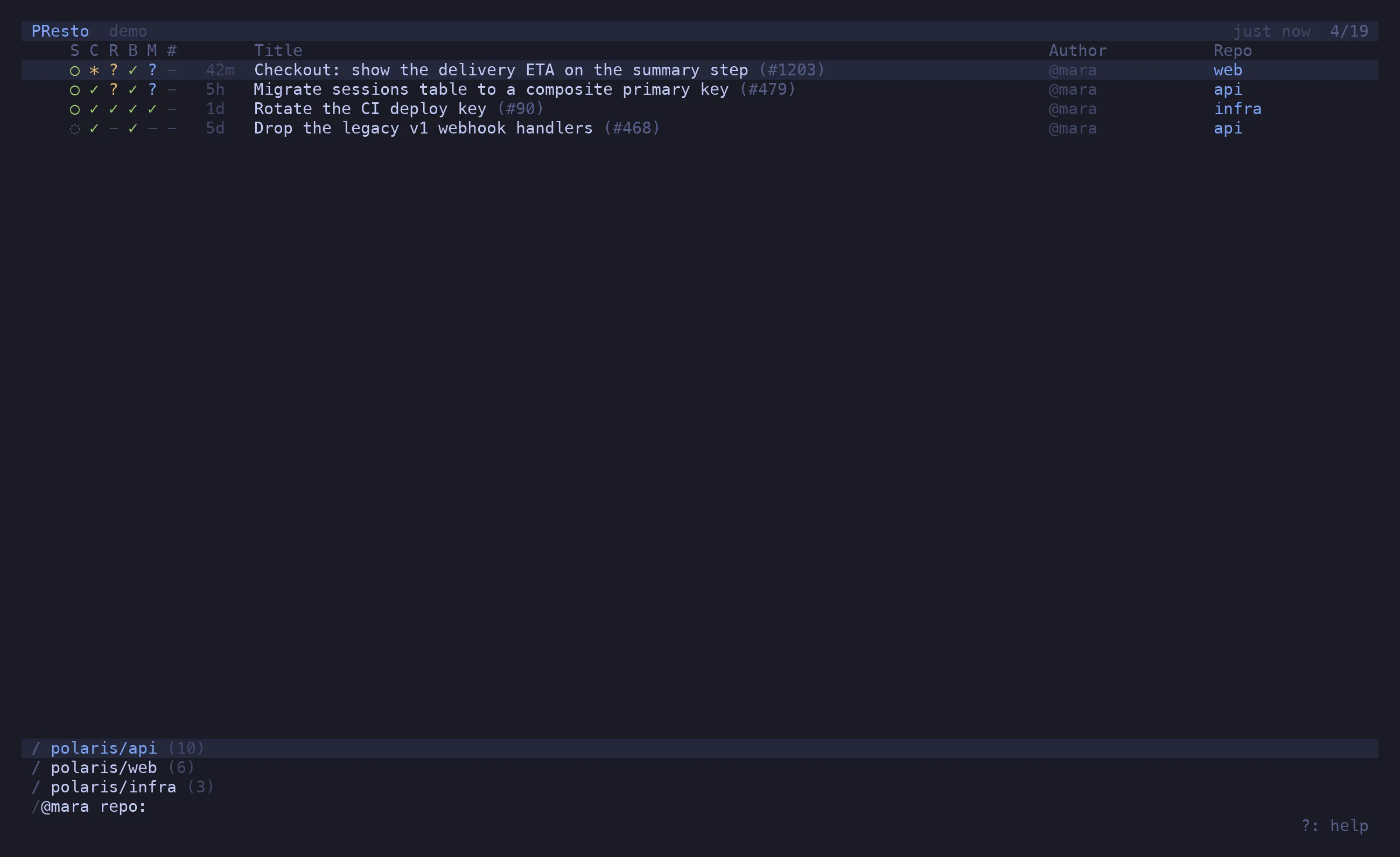
Filter as you type
Section titled “Filter as you type”/ narrows the list live: @me, @theo, repo:api, state:draft, >unread, >marked,
free text against the title, or paste a PR URL. Anything you type here can be a tab.
Know what changed
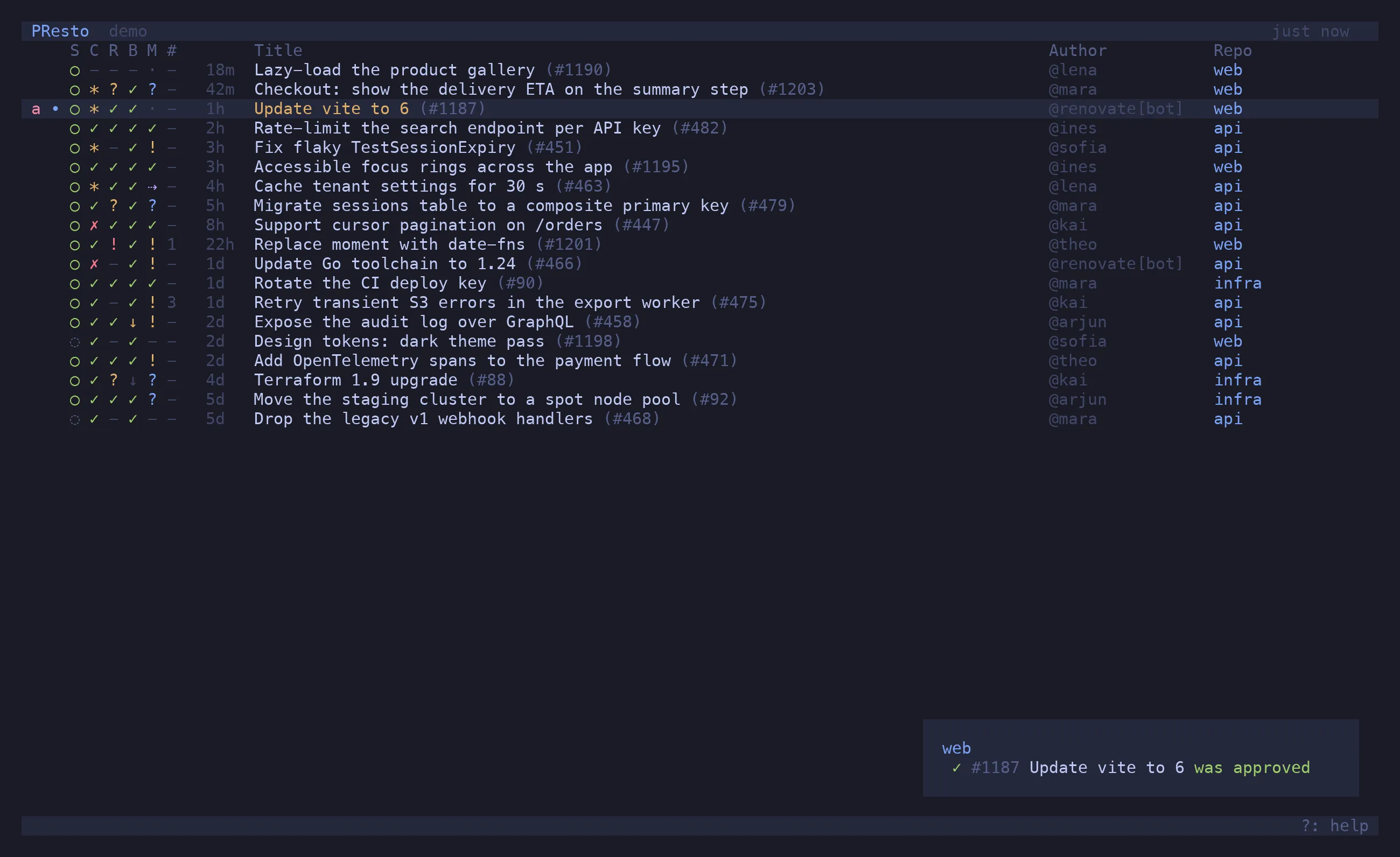
Section titled “Know what changed”Every refresh diffs against the last snapshot: a new push, a new comment, an approval, a merge.
Changed PRs get a dot and a toast; >unread lists them, v clears one.
Try it
Section titled “Try it”The demo ships in the binary: presto --demo opens a fictional org with three repos and enough
PRs to show every verdict. Everything works — approve, merge, update a branch — and is forgotten
on exit. It is also where every picture on this site comes from.