
Document editing
Edit single docs, bulk-select and edit as a JSON array, or insert new documents — all in $EDITOR.

brew install candril/tap/monq # or: nix run github:candril/monqmonq --uri mongodb://localhost:27017/mydb
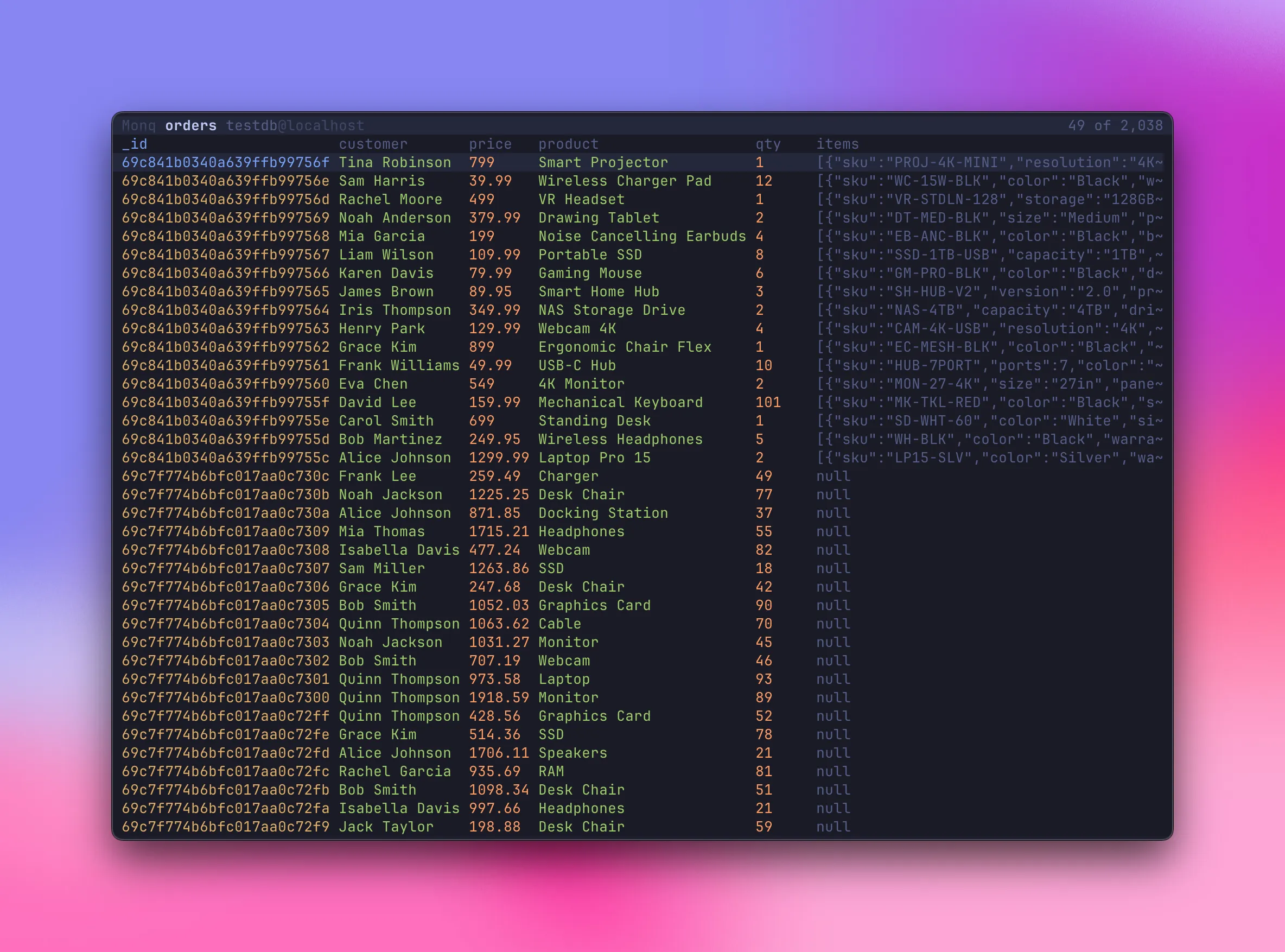
Auto-detects document fields, sorts, hides columns, and scrolls horizontally. Press / to open the query bar — filter with price<20, customer:Alice, regex, arrays and more. Switch to raw BSON JSON or a full aggregation pipeline with Tab.
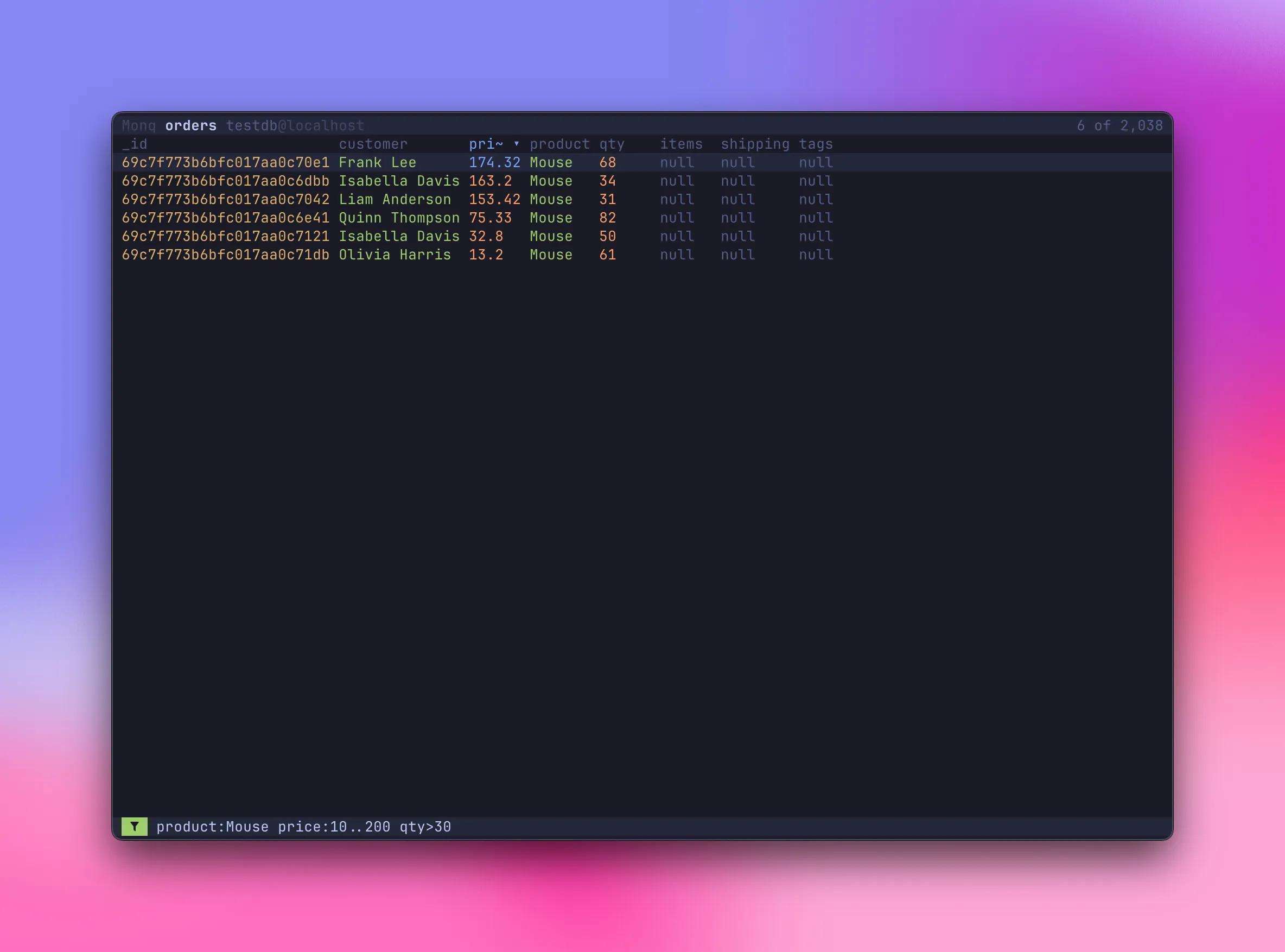
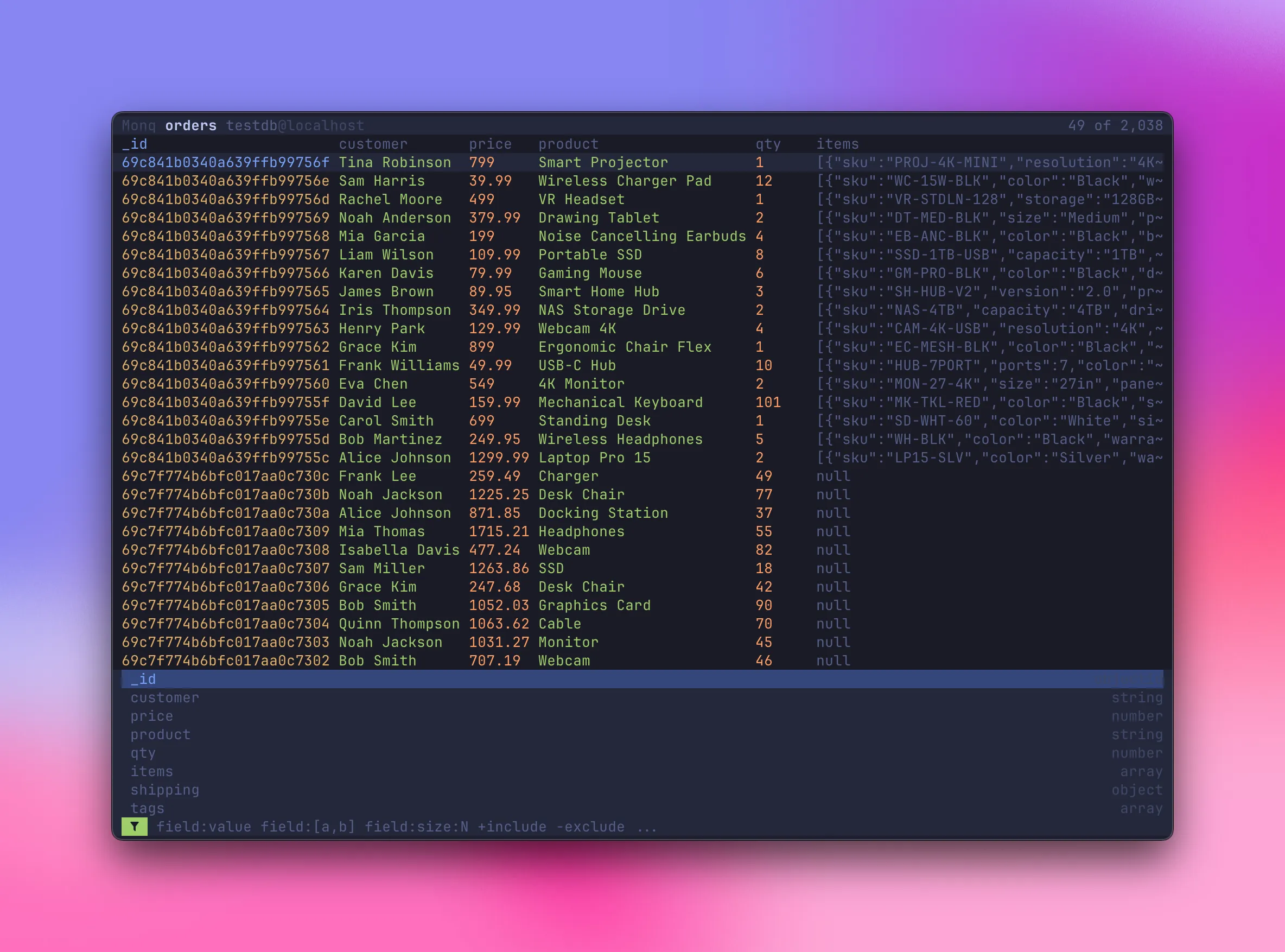
No query language to learn. Combine conditions freely — product:Mouse price:10..200 qty>30 filters by exact value, range, and comparison in one line. Field names autocomplete from the live schema as you type.
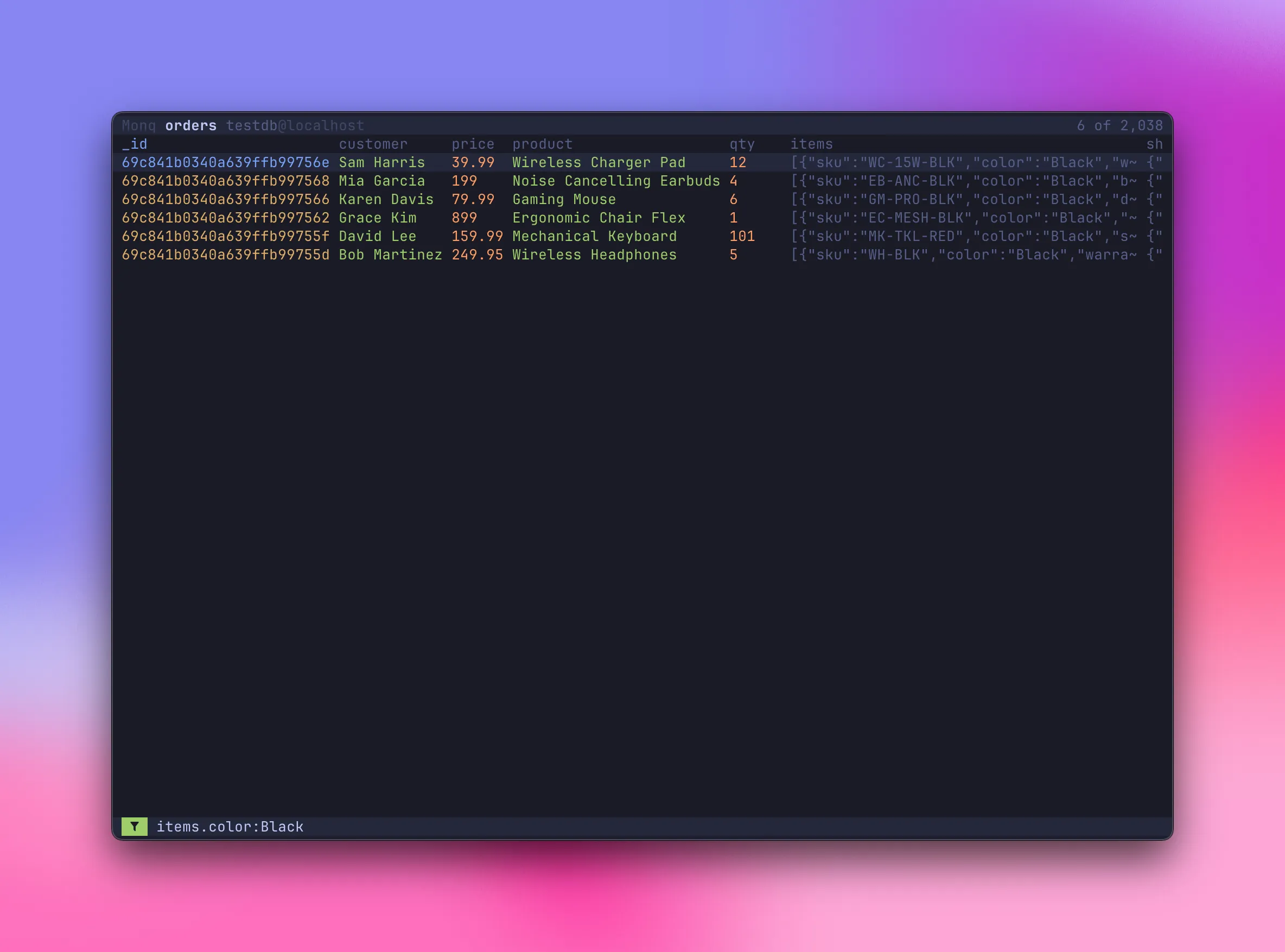
Open the filter bar with / and the schema dropdown appears — every field with its type, ready to autocomplete.
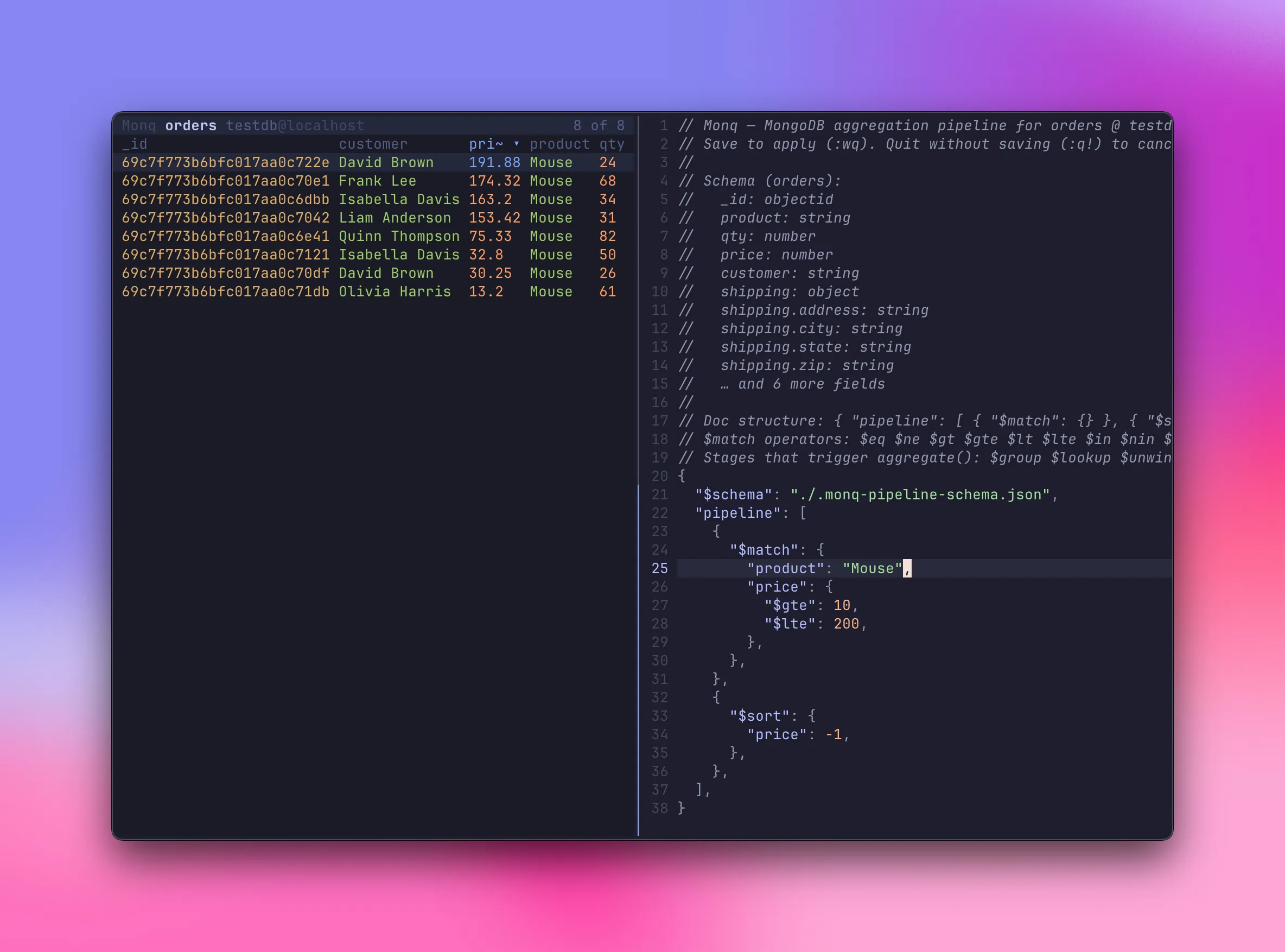
Press Ctrl+F to open the pipeline editor in $EDITOR with JSON Schema autocompletion. Results update instantly on save. Press Ctrl+E to open a tmux split alongside monq and iterate without leaving the terminal. Press Shift+E to open a detached tmux document editor that follows row navigation and saves back to MongoDB.
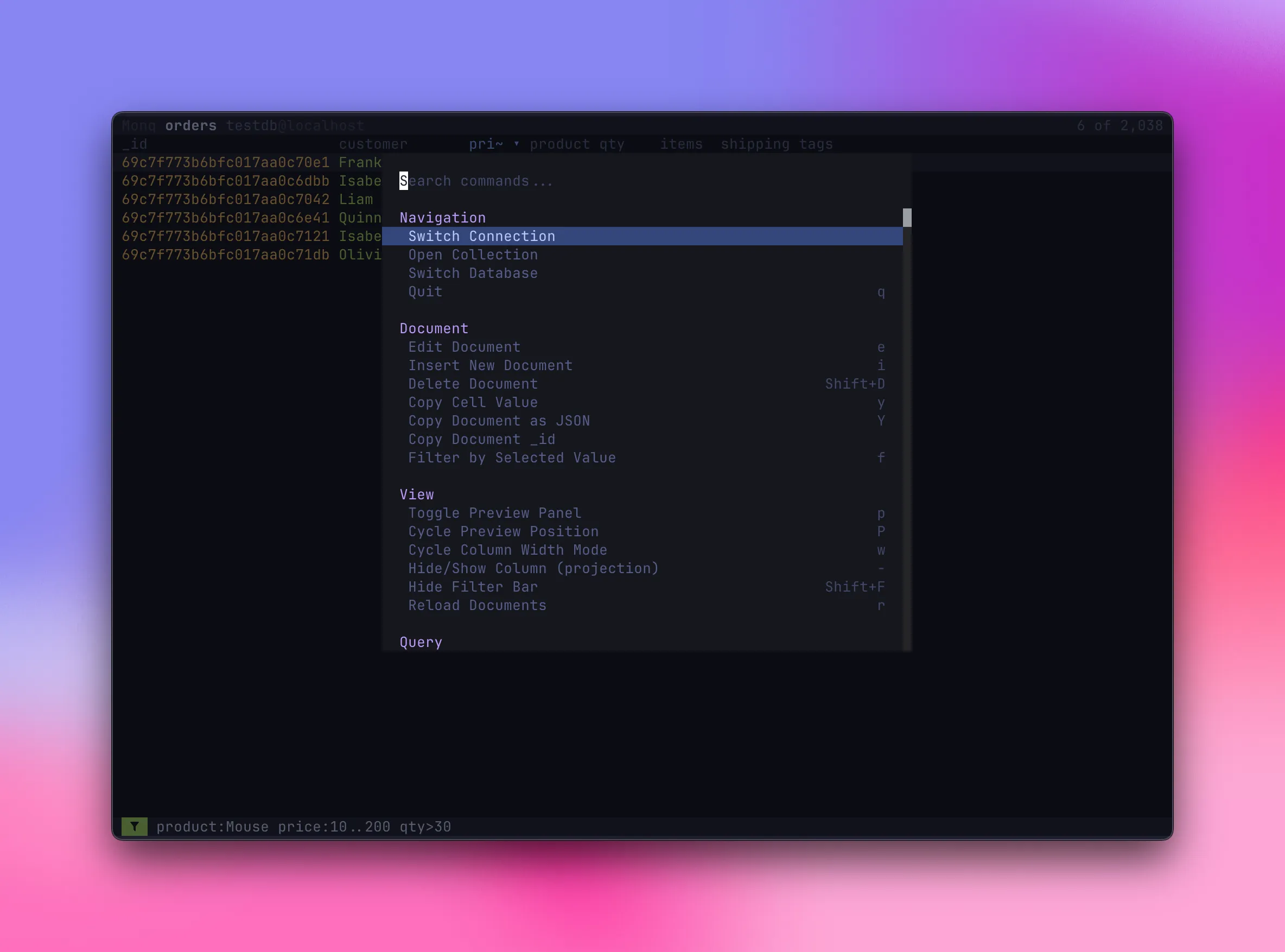
Ctrl+P opens the palette — switch collections, change themes, open the pipeline editor, navigate databases, and more, all searchable from one place.
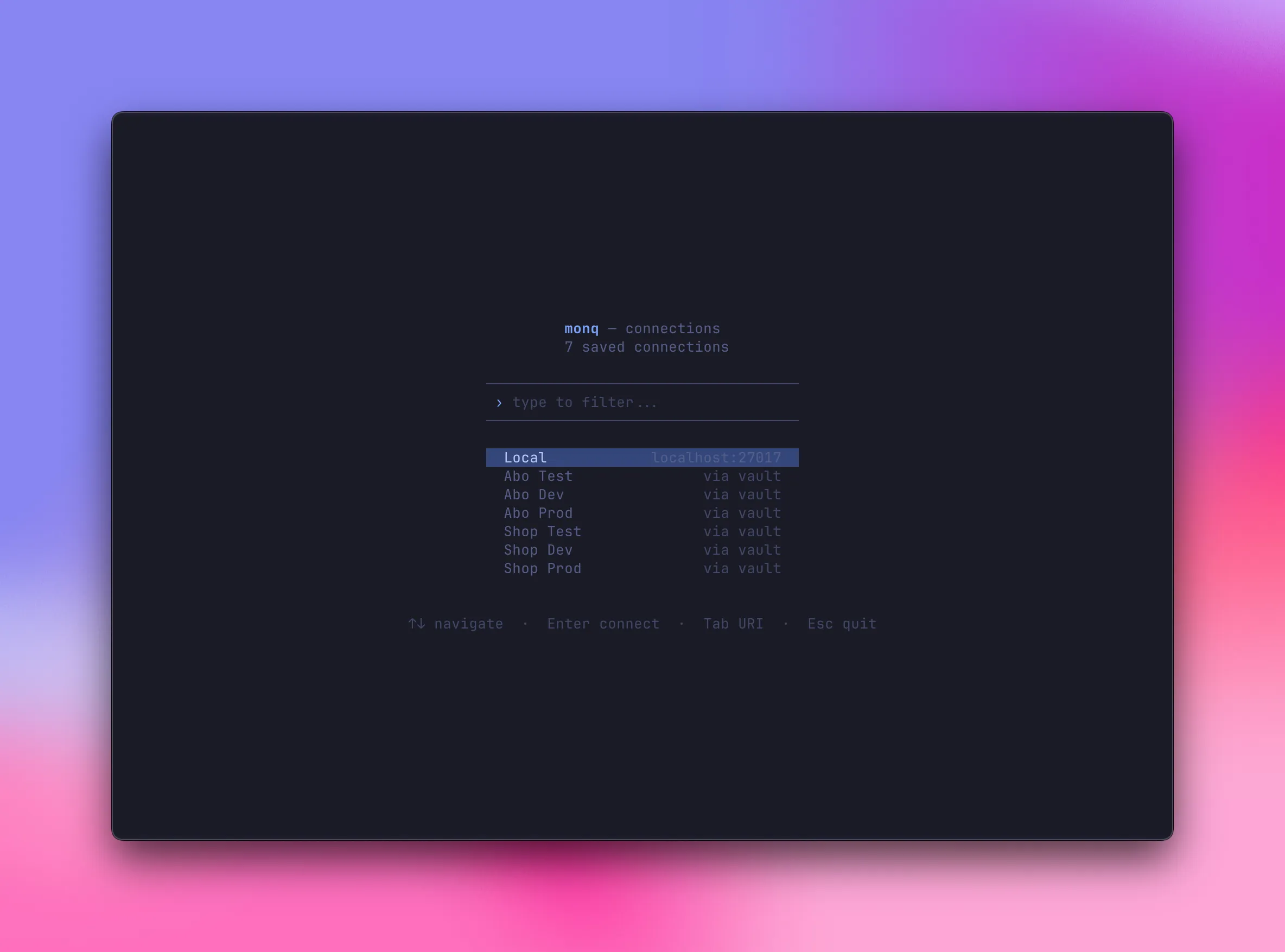
Define named profiles in ~/.config/monq/config.toml. Use uri_cmd to fetch URIs from Vault, 1Password, or any secret manager — secrets never touch the config file.
Document editing
Edit single docs, bulk-select and edit as a JSON array, or insert new documents — all in $EDITOR.
Bulk update & delete
updateMany / deleteMany via $EDITOR with matched-count preview and confirmation before writing.
Index management
View, create, drop, and replace indexes in $EDITOR as a JSON array. Schema-aware field autocompletion.
Explain query
Execution plan stage cards with timing, document counts, and index usage. COLLSCAN vs IXSCAN at a glance.
Query history
Ctrl+R opens a fuzzy picker over past queries, scoped per collection. History persists across sessions.
Document marks
Vim-style letter marks (m<letter>) bookmark individual documents. '<letter> filters by mark; @<letter> composes with other query tokens.
Collection tabs
Open multiple collections side by side, switch with 1–9 or [/]. Clone, close, undo close.
Schema-aware suggestions
Field name autocomplete with dot-notation drill-down, projection-aware. Powers the query bar, pipeline editor, and index editor.
11 built-in themes
Tokyo Night, Catppuccin, Gruvbox, Nord, Dracula and more. Switch live via Ctrl+P, customise colours in config.
Fully configurable
Remap any keybinding, save connection profiles with uri_cmd for secret managers, set a default theme — all in ~/.config/monq/config.toml.
brew install candril/tap/monq # or: nix run github:candril/monqcurl -fsSL https://raw.githubusercontent.com/candril/monq/main/scripts/install.sh | bashSee the installation guide for the Nix flake, the installer’s variables, requirements and first run.