
Edit in place
Create (n/N), rename (e), $EDITOR for title and body (i), assign (a), labels
(#), epic (⇧E), status (⇧S), close as a reason (⇧R). Optimistic, reverted if Jira
says no.

brew install candril/tap/lane # or: nix run github:candril/lanelane --mock # the offline demo board — no Jira needed
Columns come from your config, not from whatever Jira decided to render. Cards carry the type
glyph, key, summary, priority, points, assignee, epic and labels — nothing else competing for the
line. h j k l moves the cursor, including onto empty cells, so every press moves exactly one
step. ⇧H / ⇧L moves the card under the cursor, which is a Jira status transition.
⇧J / ⇧K re-ranks it.
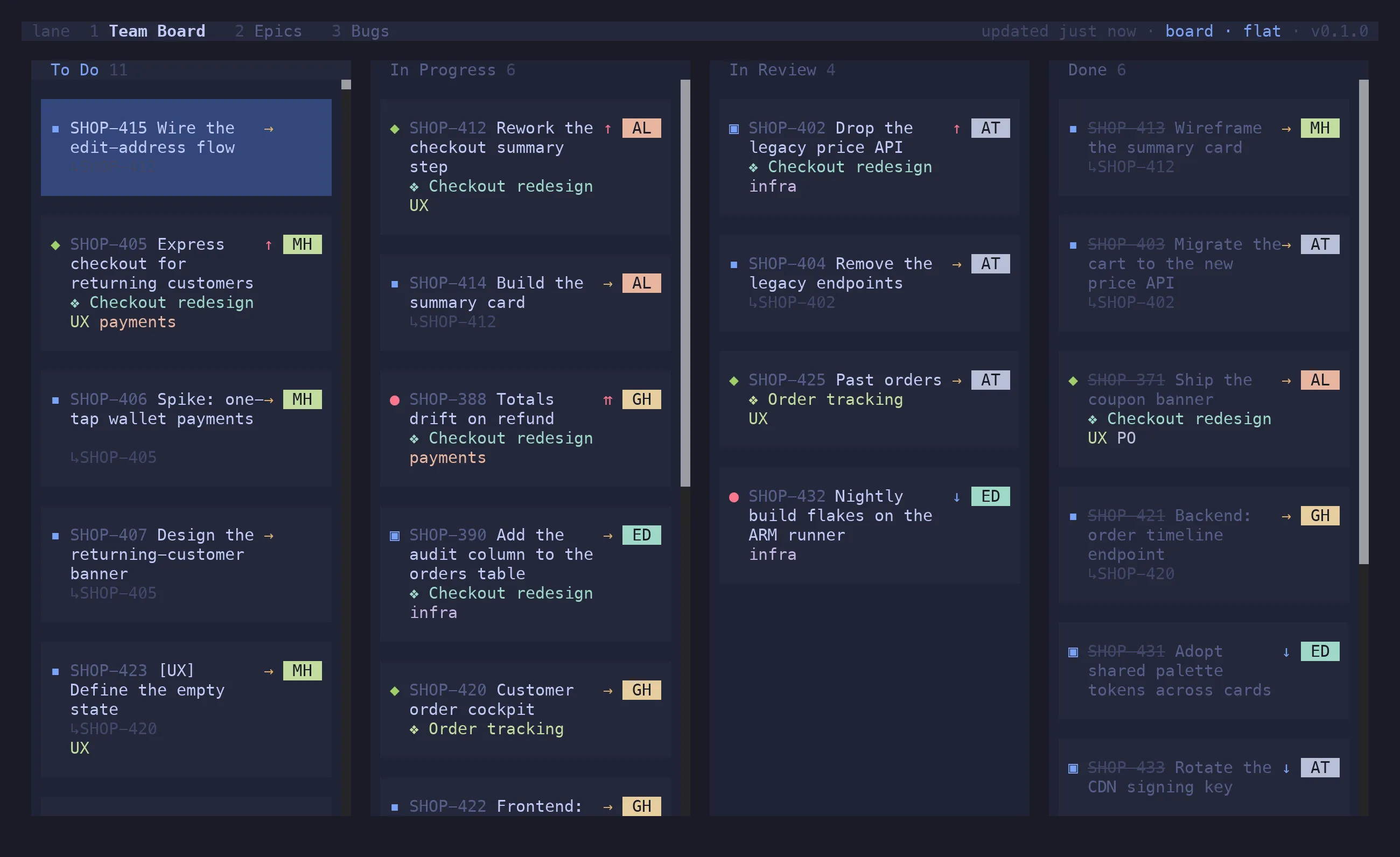
g p lanes by parent, each story with its sub-tasks across the columns. g r lanes by sprint on
a scrum board, g t by type, g s by JQL swimlanes you define per board.
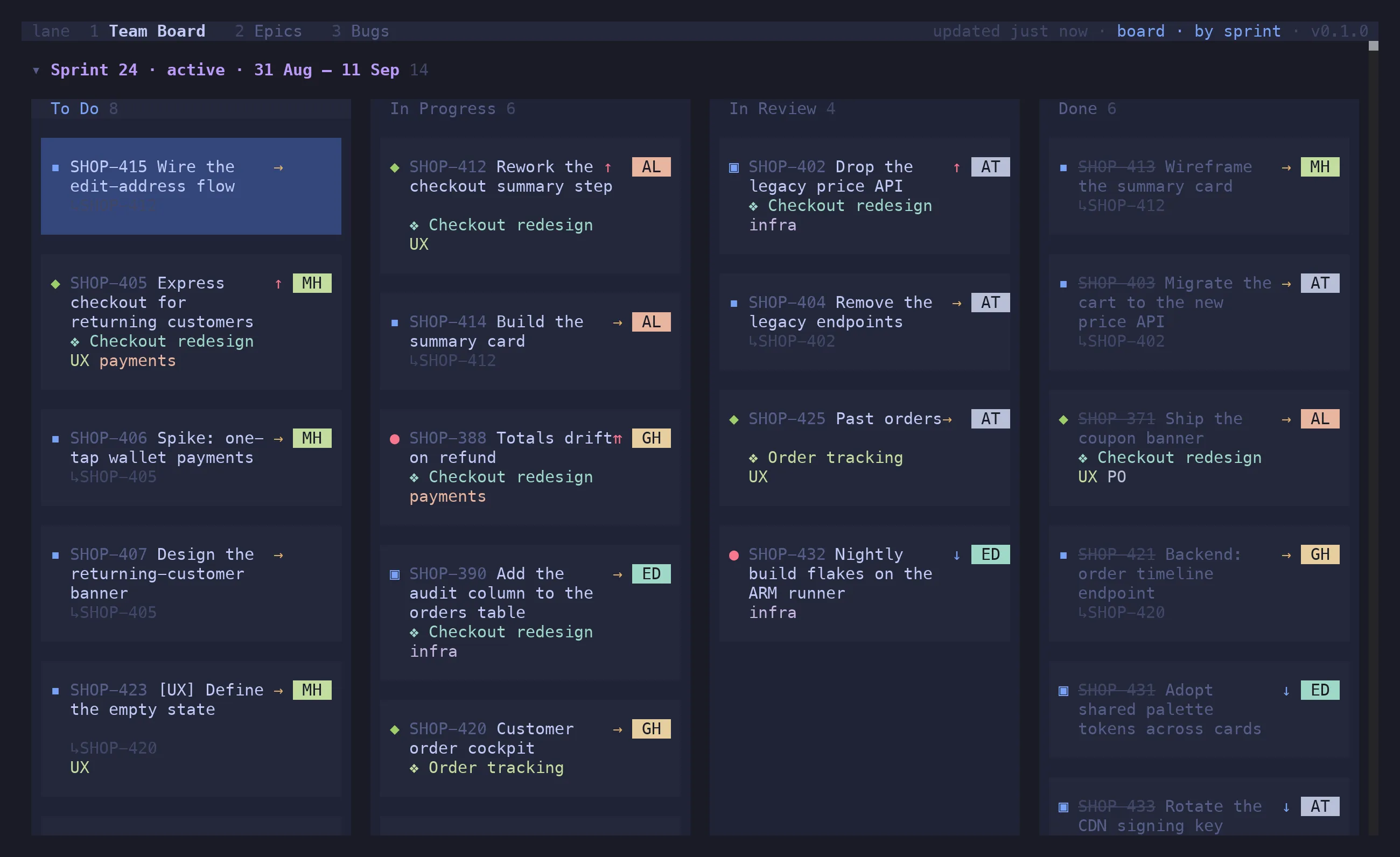
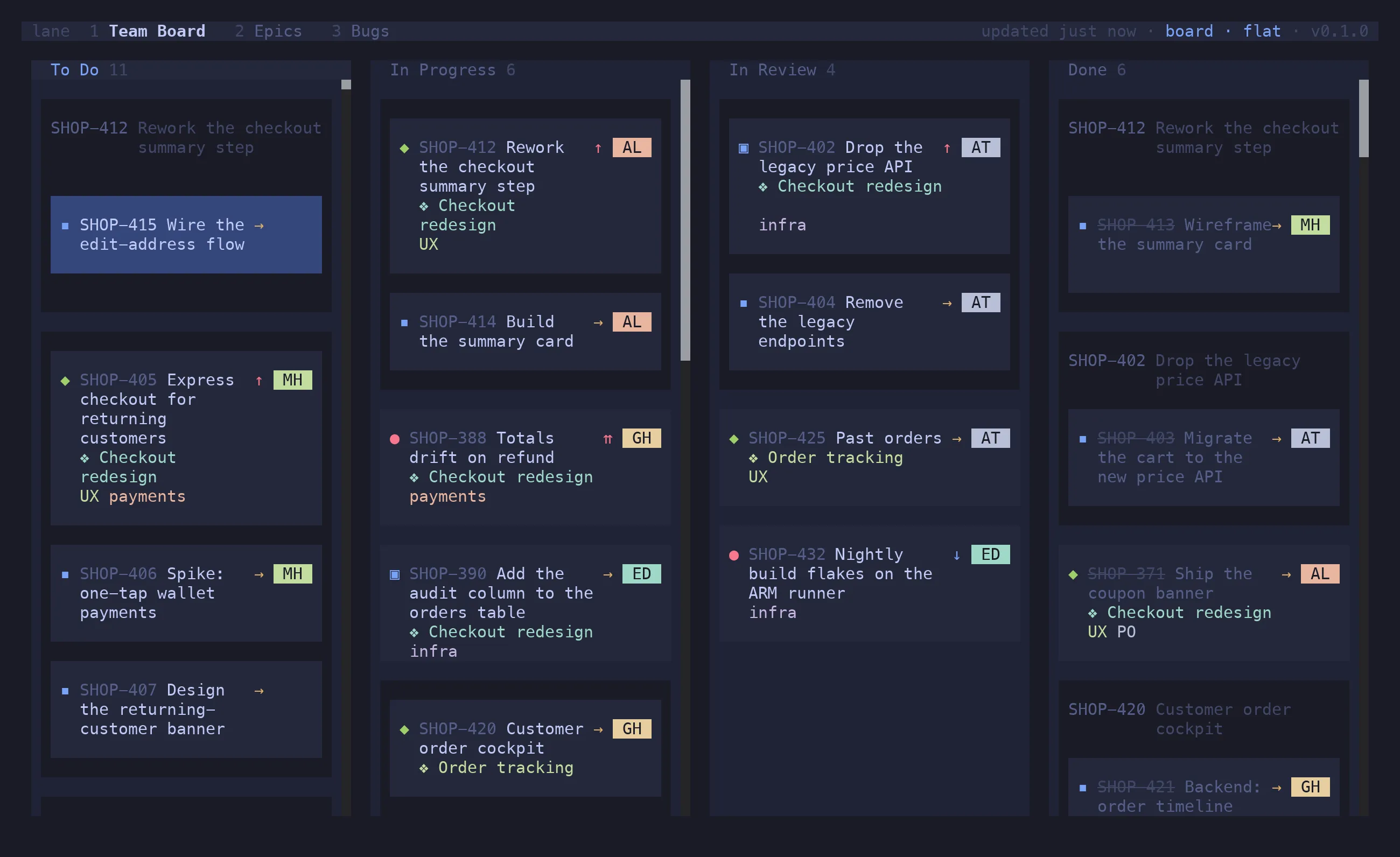
In their own status column with a ↳PARENT tag, nested under the parent, folded into it as a
checklist row, or trayed per parent in a basket. v o/u/c/g switches per tab; v a/d/n shows
all children, hides the done ones, or hides them all.
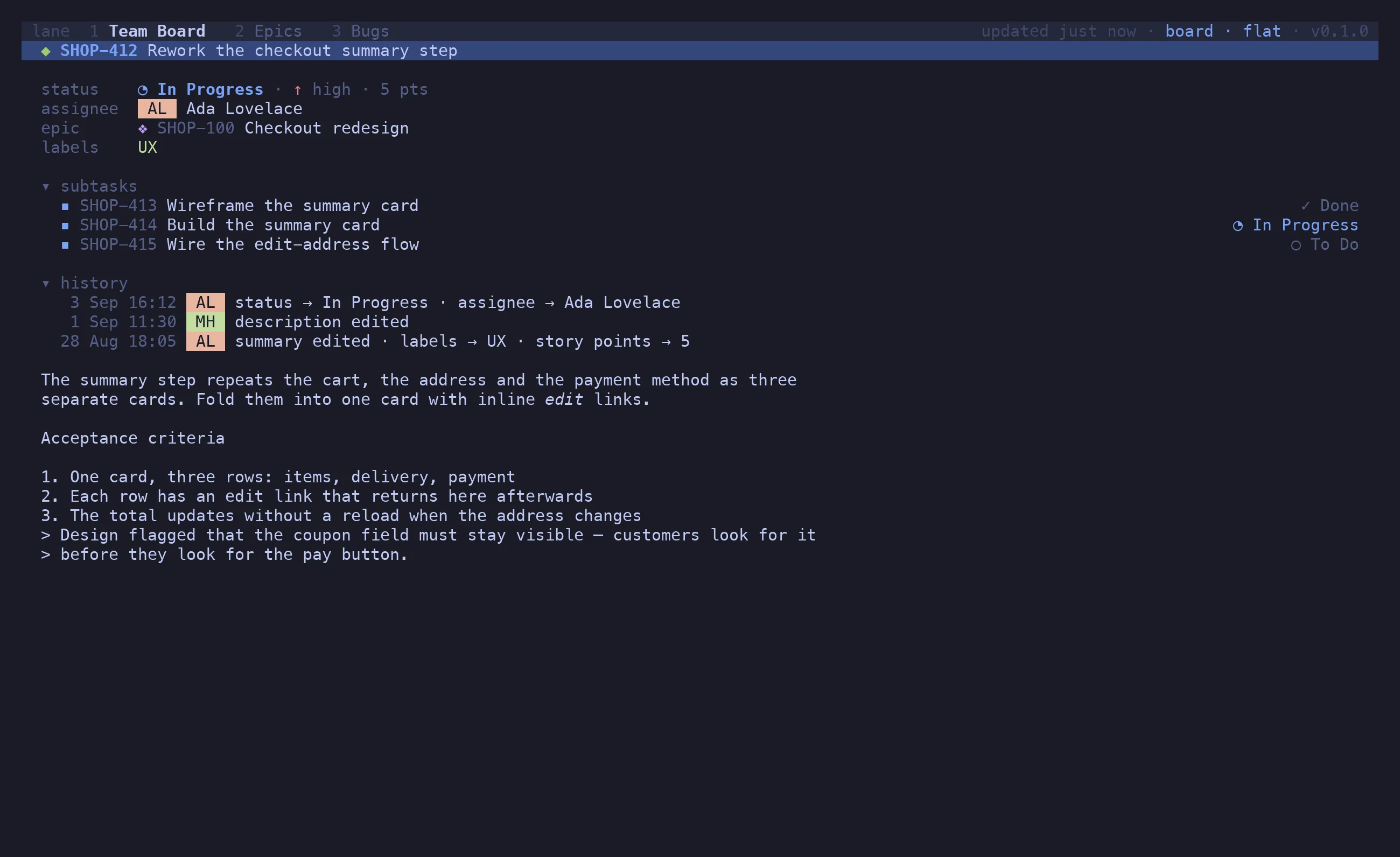
↵ opens the viewer: fields, the description as Markdown, children, and a folded history — who
changed what, when. j/k walk the links, ↵ drills in, ⌫ backs out, and ↵ on a text edit
in the history shows it as a diff.
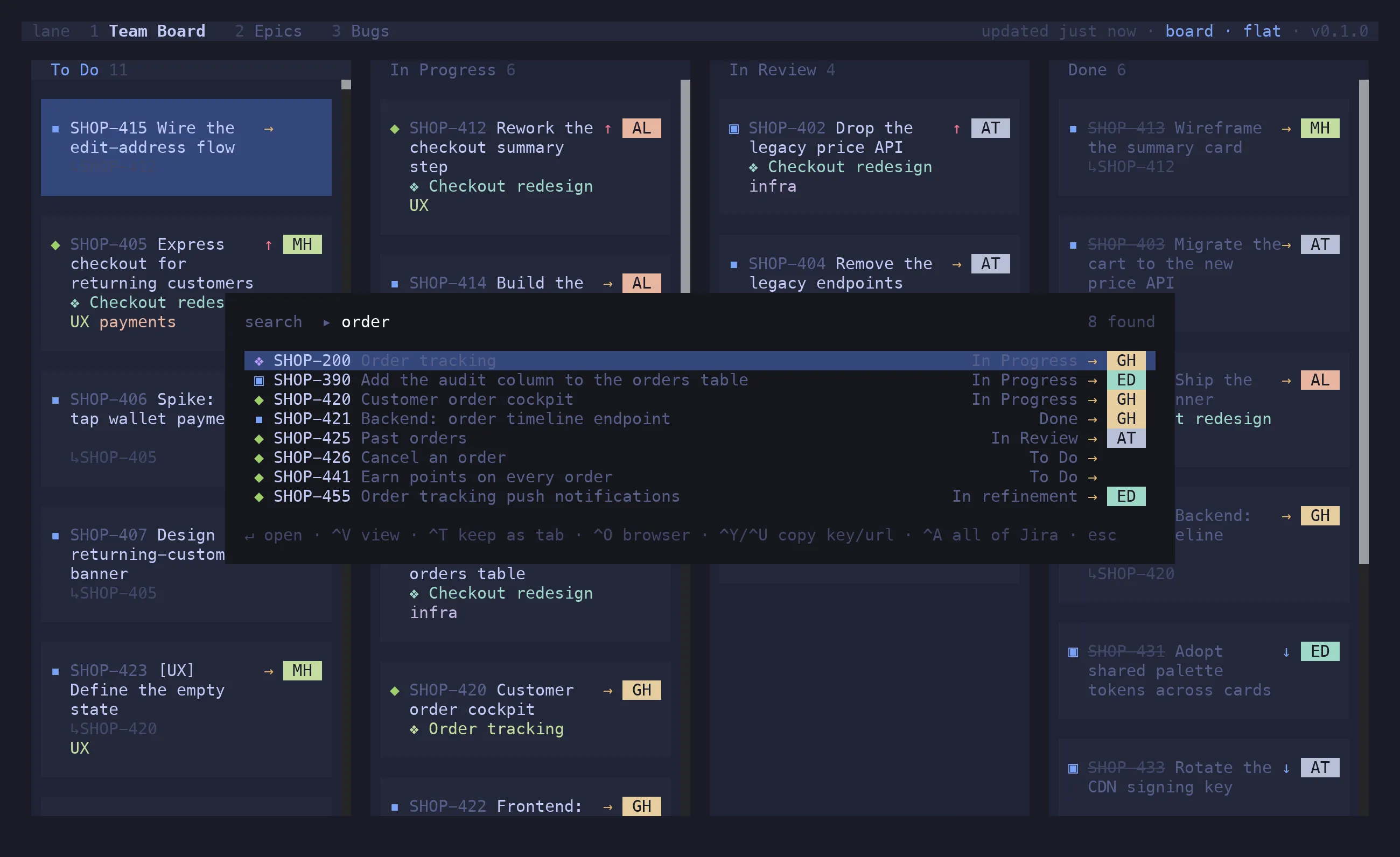
/ narrows what is loaded. : searches all of Jira. Both parse the same grammar, so there is one
thing to learn:
/ type:bug @me #UX -is:done filter this board: epic:SHOP-100 @ada payment search Jira for it: SHOP-412 jump straight to a key: project = SHOP AND sprint in openSprints() …or just write JQLFields OR within themselves and AND across each other. - negates. @ is an assignee, # a
label. A search result set can be kept as a tab with ^T — at which point it’s a board, and
every action works on it.
Edit in place
Create (n/N), rename (e), $EDITOR for title and body (i), assign (a), labels
(#), epic (⇧E), status (⇧S), close as a reason (⇧R). Optimistic, reverted if Jira
says no.
Bulk edit
space marks, ^A widens to siblings, cell, lane, board, ⇧V ranges over rows. Every field
editor and copy then acts on the whole selection.
Epics as first-class
Epic tags on cards, epic: in the filter, ⇧E to re-link or detach — and an epic tab where
epics are the parents and their issues nest inside.
Backlog view
Backlog statuses stay off the board. v k shows To Do and the backlog as an expandable list;
⇧J/⇧K ranks across the divider.
Quick filters
Bind a filter query to a letter in config, apply it with f+letter. f b for bugs, f m
for what’s yours.
Flash jump
s labels every visible card and lane; type the label to put the cursor there. No scrolling
hunt on a wide board.
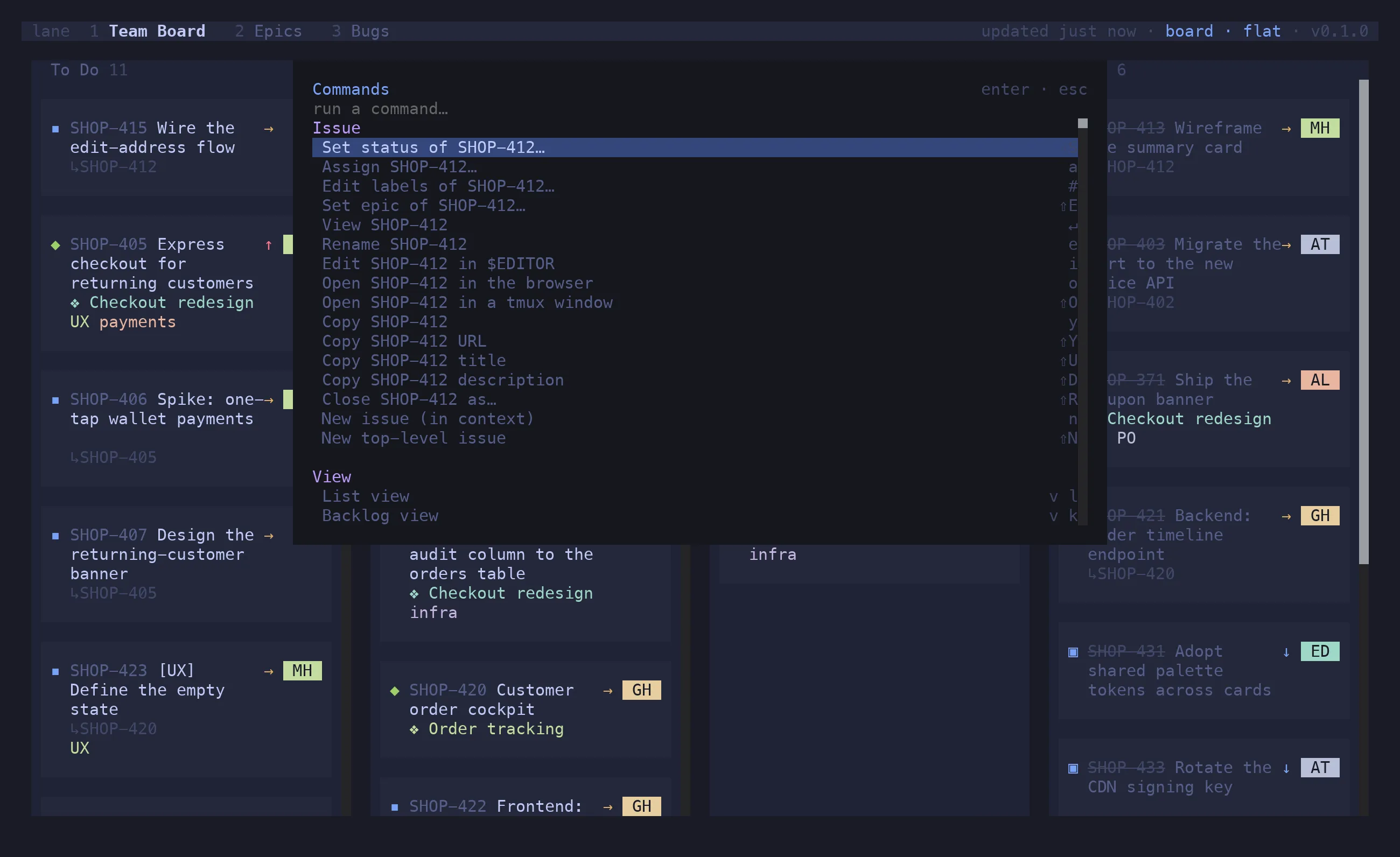
Command palette
^P lists every action for the current state with its shortcut; ? shows the whole keymap.
Nothing has to be memorised.
Instant boot
Each board’s last snapshot is cached on disk. lane opens on it, then revalidates in the background — on an interval, and when the terminal regains focus.
Multi-instance
A board can point at its own Jira server and account. Mixed-project and cross-instance tabs sit side by side.
Import your real board
lane import <boardId> reads a Jira board’s columns and filter JQL and prints a pasteable
config block.
brew install candril/tap/lane # or: nix run github:candril/lanecurl -fsSL https://raw.githubusercontent.com/candril/lane/main/scripts/install.sh | bashSee the installation guide for the Nix flake, the installer’s variables, requirements and first run.