Tabs
A tab is a filter with a name. That sounds small, and it is the feature that turns presto from a list into a workspace: the questions you ask every morning — what of mine is waiting, what needs my review, what is renovate up to, what changed since yesterday — become tabs you switch between with a number key instead of queries you retype.
Making one
Section titled “Making one”t opens a new tab as a copy of the current one — same filter, same cursor — and switches
to it. Then change the filter: / opens the prompt with the tab’s query already in it, so you
can narrow further (state:draft on top of @me gives My Drafts) or clear it first with ⌫
and start over.
n opens a blank tab instead — no filter, cursor at the top — for a view that has
nothing to do with the one you are on.
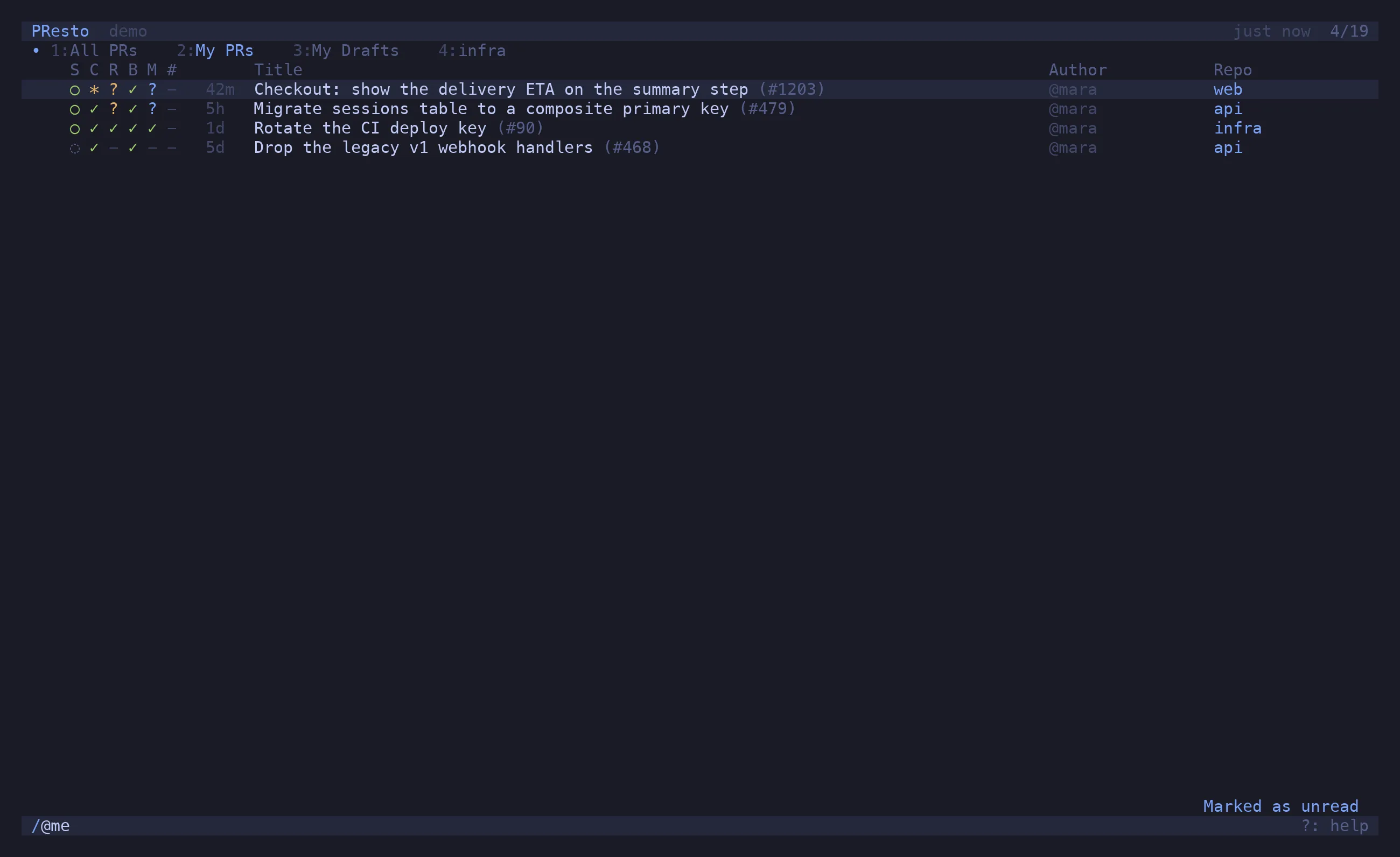
t / @me ↵ My PRst / state:draft ↵ My Drafts (narrowed from the copy)t ⌫ / repo:infra ↵ infrat ⌫ / >unread ↵ Unreadt ⌫ / -@renovate[bot] ↵ -@renovate[bot]The tab bar appears as soon as there are two tabs.
The title is derived from the filter and follows it as you type:
| Filter | Title |
|---|---|
| — | All PRs |
@me |
My PRs |
@theo |
Theo’s PRs |
state:draft |
Drafts |
@me state:draft |
My Drafts |
repo:api |
api (or the repo’s alias) |
repo:api repo:web |
api | web |
@me repo:api |
My in api |
>unread / >marked / >recent / >starred |
Unread / Marked / Recent / Starred |
marks:w |
Marks: w |
-@renovate[bot] |
-@renovate[bot] |
flaky test |
“flaky test” |
Rename tab in the palette (^P) sets your own name; renaming to nothing goes back to the
derived one.
Switching
Section titled “Switching”| Keys | Action |
|---|---|
1–9 |
switch to tab N |
[ / ] |
previous / next |
d |
close the current tab (the last one cannot be closed) |
u |
reopen the last closed tab |
^P → Close other tabs |
keep only this one |
Each tab remembers its own cursor position, so coming back to a tab lands you where you left it.
What a tab knows
Section titled “What a tab knows”Every tab reads from the same PR list. One refresh fetches the configured repos once and
every tab filters that result, so five tabs cost the same as one and switching is instant. A
tab whose filter names a repo that is not configured (or is disabled) fetches it on demand.
A tab shows a dot when any PR it would list has unread changes — a new push, a comment, an approval — so the bar itself tells you where to look after a refresh, without opening each tab.
Persistence
Section titled “Persistence”Tabs, their filters and their order are saved to tabs.json and restored on the next launch,
along with which one was active. Deleting the file resets you to a single All PRs tab.