
Replay & Produce
Four ways to put a message on a topic. Every one of them is off by default, goes through the same gate, and ends in the same confirm dialog.
The gate
Section titled “The gate”allow_write is false on every profile until you set it. With it false, p, e, ⇧N,
y and the offset seek are drawn disabled with the reason — in the palette, and on the
status line when pressed:
writes are disabled on orders-prod — allow_write is false in the configNot hidden, and not failing at the broker after the fact.
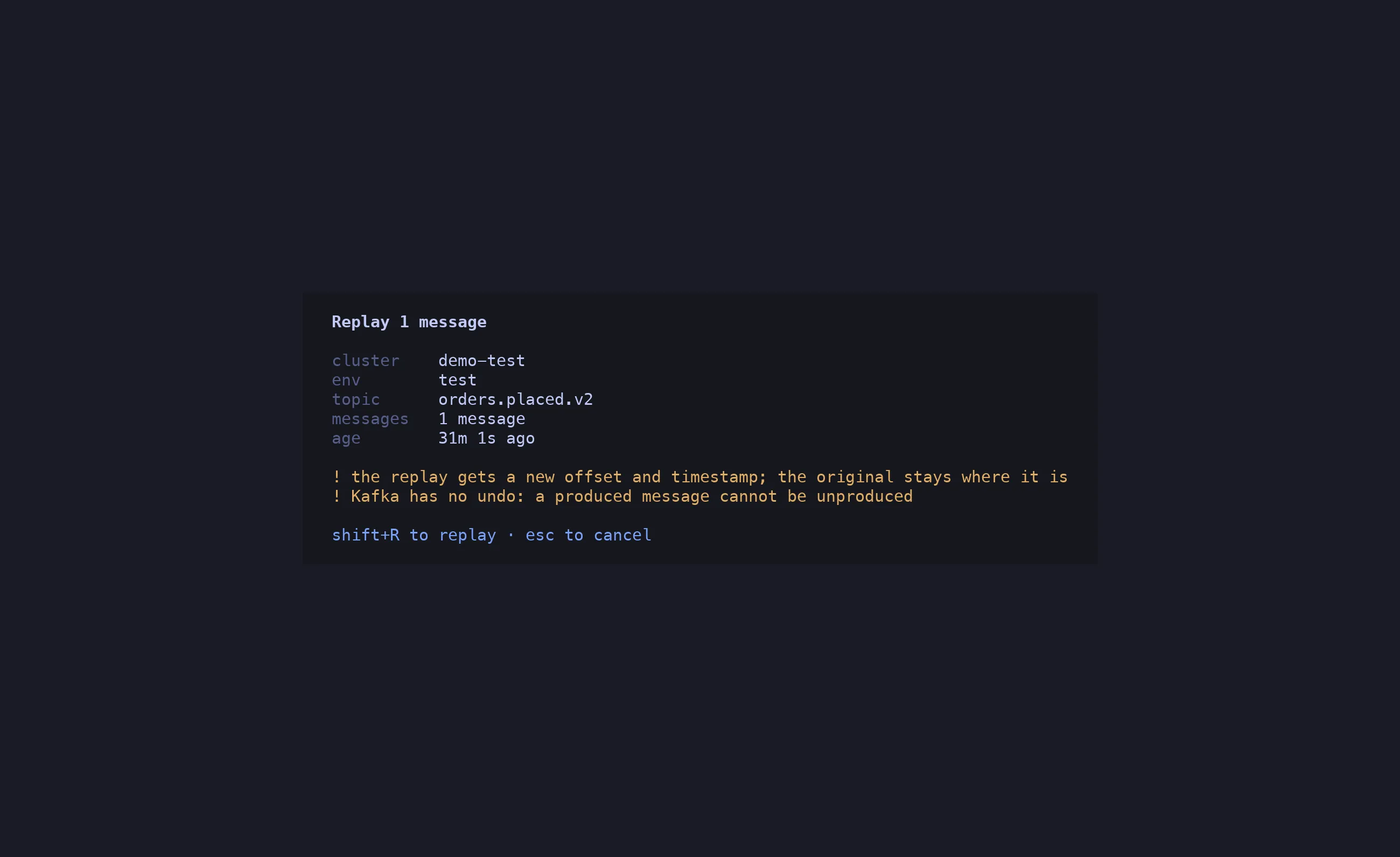
With it true, a write opens one dialog naming the action, cluster and environment, topic,
message count — and for a replay, the message’s age. Replaying an old snapshot onto a
snapshot-style topic re-applies stale state; that is the realistic way this tool causes
damage, so the dialog makes you read it. Confirmation is a deliberate shifted key (⇧R,
⇧P, ⇧C, ⇧S), never y, never Enter. A prod target — declared env = "prod",
never guessed from a hostname — must be typed by name.
The gate is re-evaluated at the instant of the keystroke, not when the dialog opened, so a config reload in between still counts.
p — replay, byte-exact
Section titled “p — replay, byte-exact”The message under the cursor goes back to its own topic: the raw key, the raw value, the raw headers. No decode, no re-encode. The embedded schema id is untouched, so it stays valid; the bytes are provably identical to the source — the test suite compares them. It lands with a new offset and timestamp; the original stays where it was.
replayed to orders.placed.v2 p1 @ 18475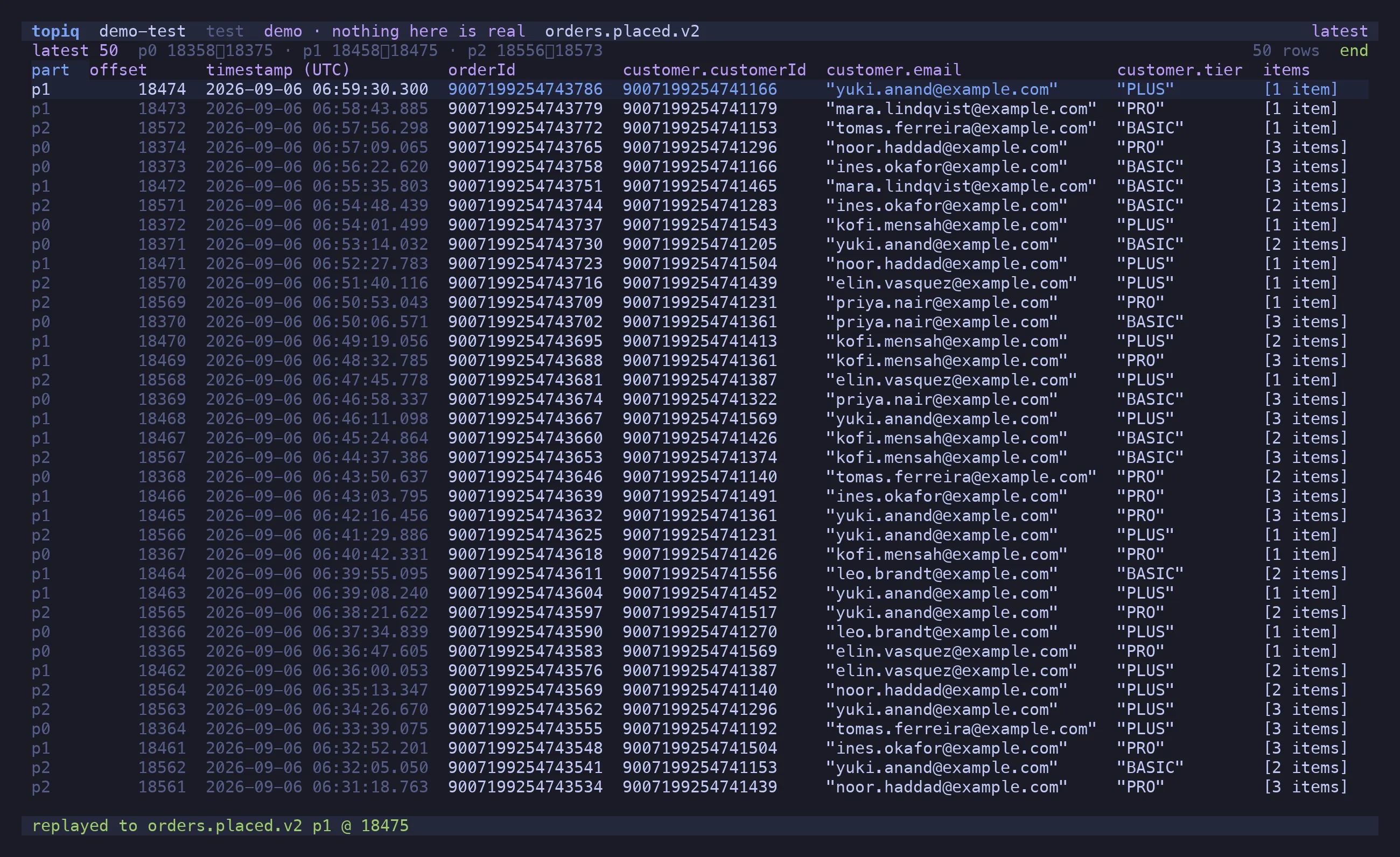
e — edit, then replay
Section titled “e — edit, then replay”Decodes the value into $EDITOR as lossless JSON, waits, validates your edit against the
message’s own schema id — not the subject’s latest, because editing an old message must
not silently upgrade it — re-encodes, and produces. Validation failures are shown per field
before anything is sent. The dialog states that the bytes will differ from the original, and
why.
⇧N — craft from the schema
Section titled “⇧N — craft from the schema”Builds a skeleton from the subject’s latest schema: a BigInt placeholder for every
long, one sample entry per array and map, union branches listed in a header comment. Opens
it in $EDITOR as a { key, value, headers } envelope; ⇧P encodes against that schema and
produces.
y — copy across clusters
Section titled “y — copy across clusters”Schema ids are registry-local. A message copied from prod to test carries prod’s id, which on test’s registry is a different schema or nothing at all. So a cross-cluster copy is never byte-exact, and topiq never pretends it is: the value is decoded against the source registry and re-encoded against the destination’s, two registry objects, two schema caches.
The destination bar lists the other profiles — siblings (same group) first, prod never the
default row. The topic name is prefix-mapped (orders.placed.v2 ↔ test-orders.placed.v2)
and editable. Enter resolves both sides, and the dialog names both subjects, both versions
and both ids before ⇧C writes:
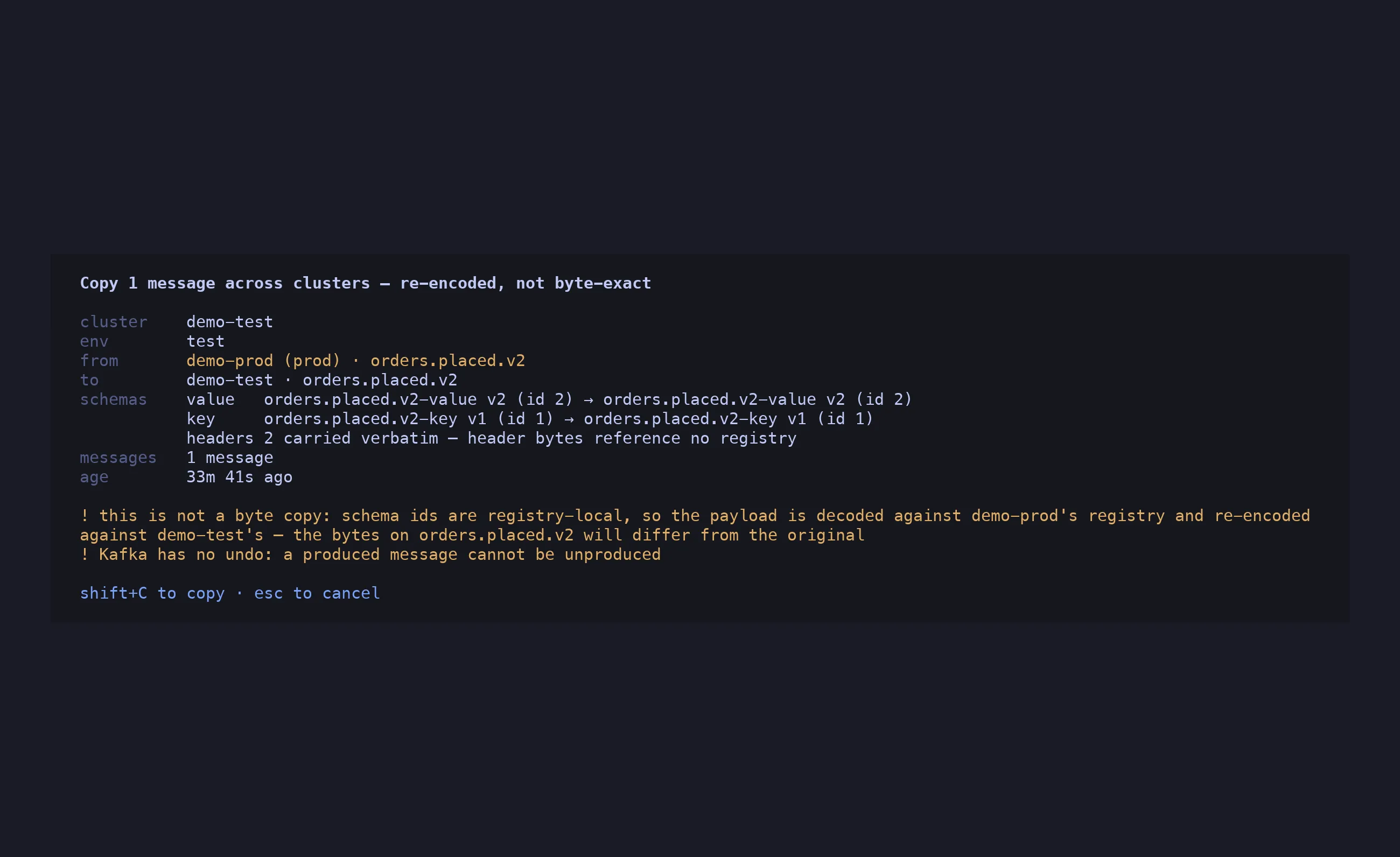
A destination subject that is missing, or that rejects the message, aborts. Nothing anywhere falls back to producing the source bytes.
The destination’s allow_write is what gates the copy — it is the cluster being written.
Prod stays read-only as a target even when the source allows writes.
What a write can and cannot do
Section titled “What a write can and cannot do”- A produce cannot be unproduced. Kafka has no undo, and the dialog says so.
- A replay never modifies or deletes the original.
- topiq never commits an offset for its own reads: windows and tails use ephemeral groups with auto-commit off. The only offset write is the explicit seek in Consumer Groups.