topiq is vim-flavoured: j/k move, h/l step across columns or levels, uppercase and
shift+ confirm the thing that writes. A modified key is never a letter binding — ^p is
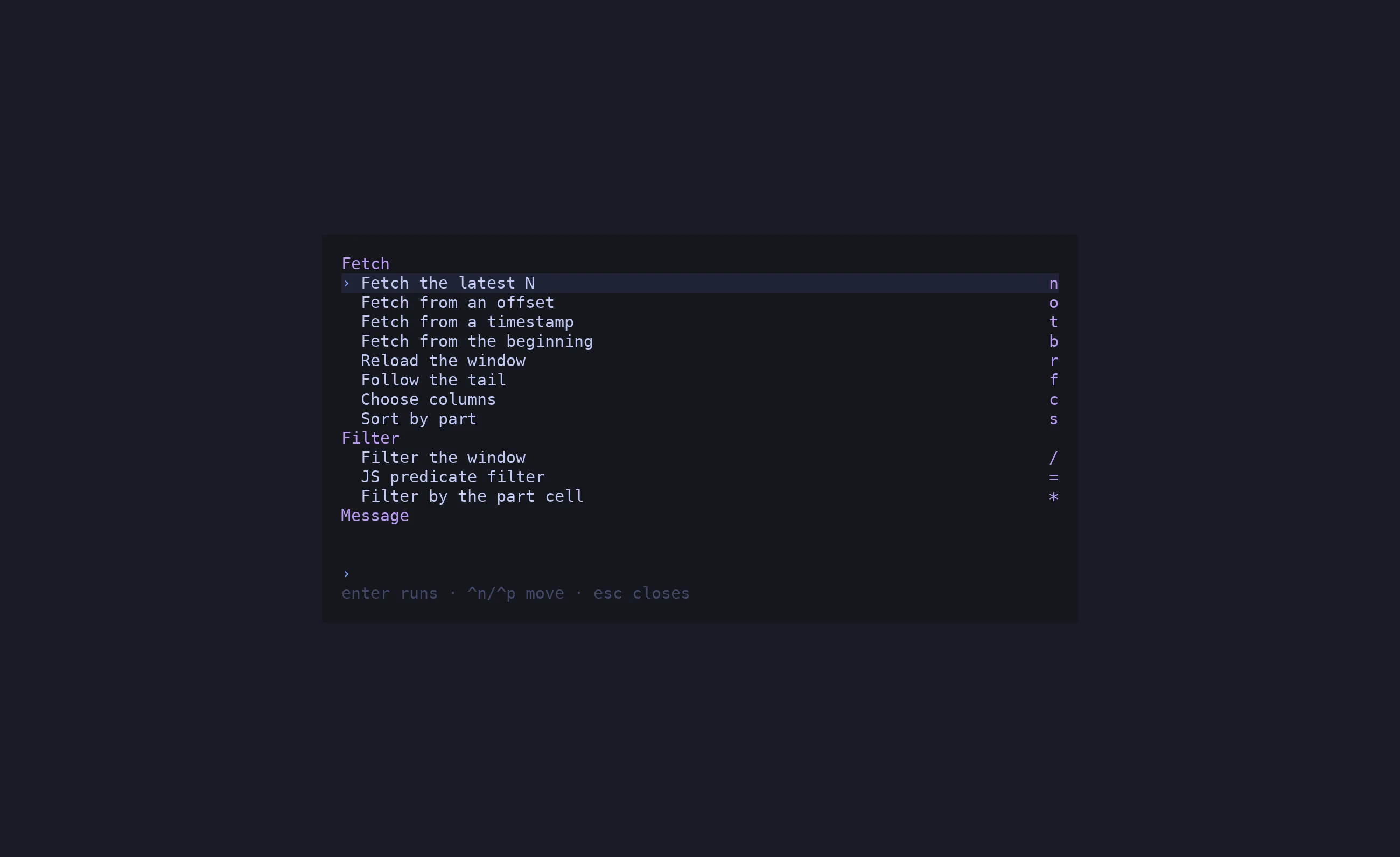
the palette, p is replay, and nothing fires both.
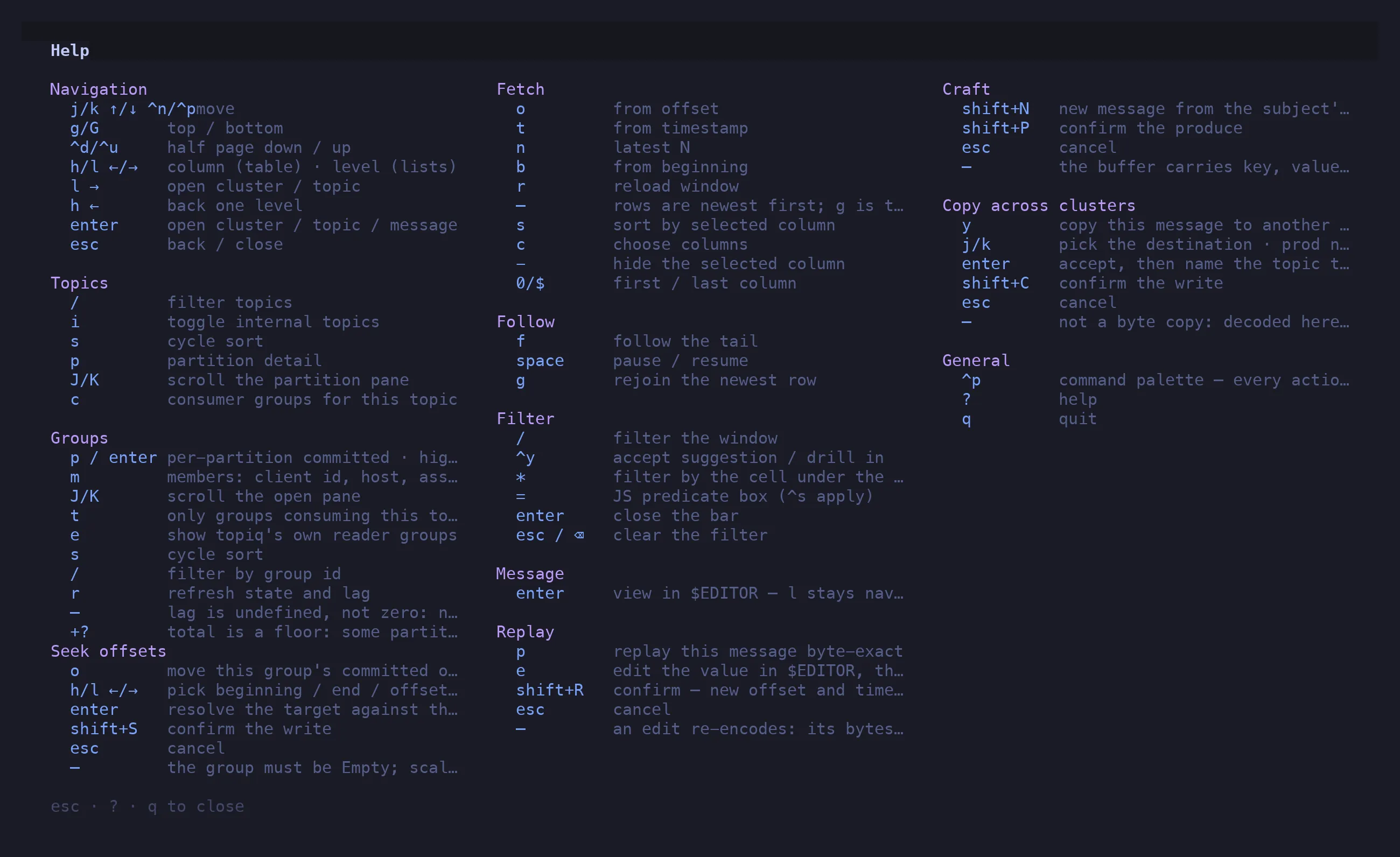
Press ? at any time for this list in the app. esc, ? or q closes it.
| Keys |
Action |
j k ↑ ↓ ^n ^p |
move |
g / G |
top / bottom — in the message table, newest / oldest |
^d / ^u |
half a page down / up |
h l ← → |
column (in the table) · level (in lists) |
l → |
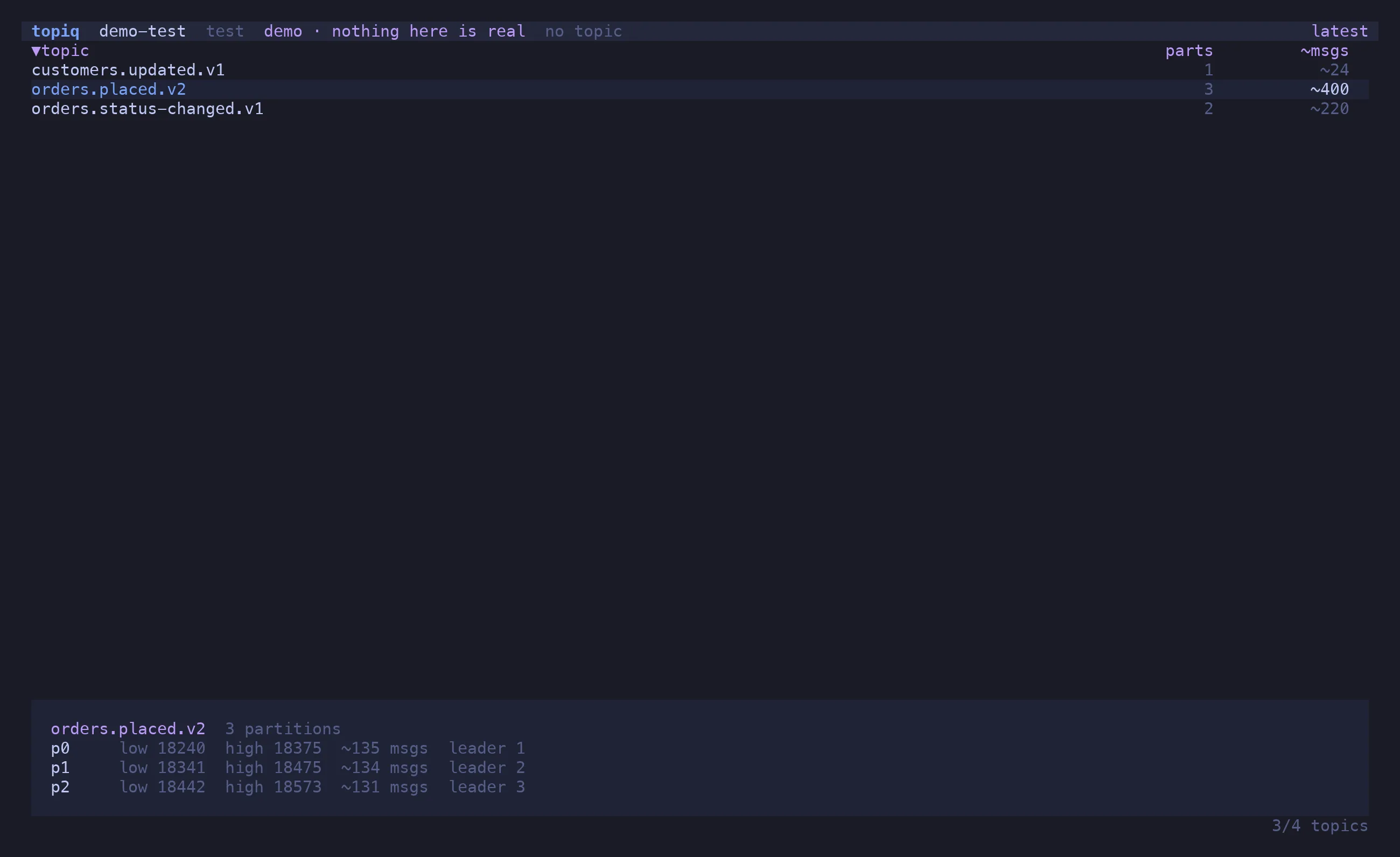
open the cluster / topic under the cursor |
h ← |
back one level |
enter |
open cluster / topic / message |
esc |
back / close |
q |
quit (^c too) |
| Keys |
Action |
/ |
filter topics by name |
i |
toggle internal (_-prefixed) topics |
s |
cycle sort |
p |
partition detail pane |
J / K |
scroll the partition pane |
c |
consumer groups for this topic |
| Keys |
Action |
o |
from an offset |
t |
from a timestamp (ISO 8601 or epoch millis) |
n |
latest N |
b |
from the beginning |
r |
reload the window |
s |
sort by the selected column: asc → desc → window order |
c |
choose columns |
- |
hide the selected column |
0 / $ |
first / last column |
Rows are newest first; g is the live edge.
| Keys |
Action |
f |
follow the tail |
space |
pause / resume — the consumer stays connected |
g |
rejoin the newest row after scrolling away |
| Keys |
Action |
shift+S |
scan the whole range with the filter — needs a filter; latest N scans from the beginning |
shift+S again |
stop while it runs; re-run once it has finished |
esc |
leave the hits and return to the window, keeping the filter |
A scan streams every message in the range through the filter and keeps only the hits, so
the range can be the whole topic. Hits stop at the window cap; the header shows how far the
scan got, how fast, and whether it ended, was stopped, or hit the cap.
| Keys |
Action |
/ |
filter the window |
^y |
accept the suggestion / drill into a namespace |
* |
filter by the cell under the cursor |
= |
JS predicate box (^s applies) |
enter |
close the bar, keep the filter |
esc / ⌫ on an empty bar |
clear the filter |
See Peek & Filter for the grammar.
| Keys |
Action |
enter |
view the message in $EDITOR — metadata as comments, lossless JSON |
| Keys |
Action |
p |
replay this message byte-exact |
e |
edit the value in $EDITOR, then replay |
⇧R |
confirm — new offset and timestamp |
esc |
cancel |
An edit re-encodes: its bytes differ from the original, and the dialog says so.
| Keys |
Action |
⇧N |
new message from the subject’s latest schema |
⇧P |
confirm the produce |
esc |
cancel |
| Keys |
Action |
y |
copy this message to another cluster |
j / k |
pick the destination · prod never leads |
enter |
accept, then name the topic there |
⇧C |
confirm the write |
esc |
cancel |
Not a byte copy: decoded here, re-encoded there.
| Keys |
Action |
p / enter |
per-partition committed · high · lag |
m |
members: client id, host, assignment |
J / K |
scroll the open pane |
t |
only groups consuming this topic |
e |
show topiq’s own reader groups |
s |
cycle sort |
/ |
filter by group id |
r |
refresh state and lag |
— means lag is undefined (nothing committed), never zero. +? on a total means some
partition is uncommitted, so the total is a floor.
| Keys |
Action |
o |
move this group’s committed offsets |
h / l |
pick beginning / end / offset / timestamp |
enter |
resolve the target against the broker |
⇧S |
confirm the write |
esc |
cancel |
The group must be Empty. Scaling the consumer to zero stays manual.
| Keys |
Action |
^p |
command palette |
? |
this keymap |
esc |
close whatever is open |