
Working with Issues
Everything on this page starts from the card under the cursor — or, once you have marked some, from the selection.
The viewer
Section titled “The viewer”↵ on a card opens it: the fields, the sub-tasks or children with their statuses, a folded
history, and the description rendered as Markdown (Jira’s ADF is converted on the way in).
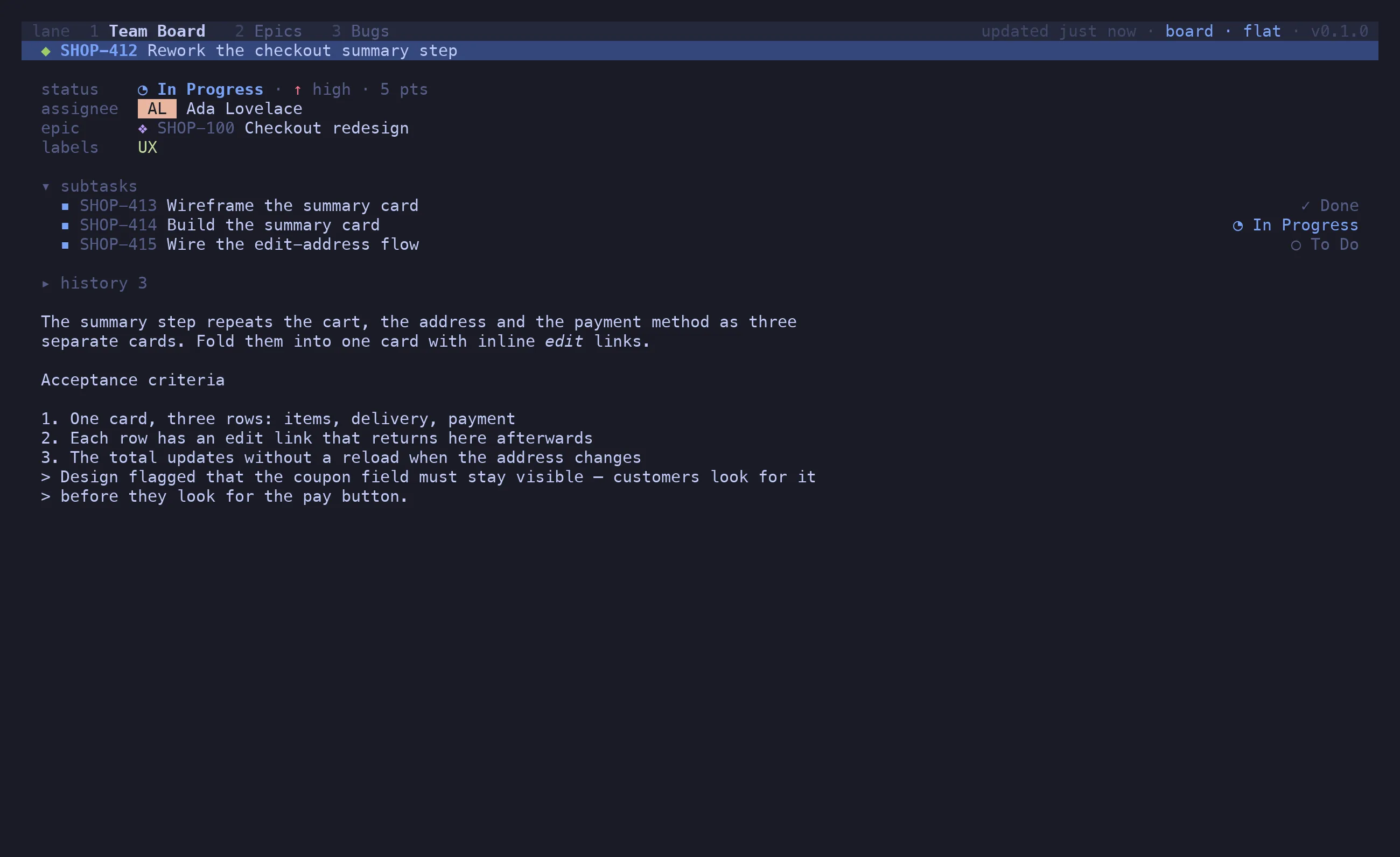
The viewer is navigable. j / k (or ^N) walk its links — the parent, the epic, each
child, each history entry. ↵ on a link drills into that issue; ⌫ backs out again, as many
levels as you went. / filters the children. gg / ⇧G jump to the first and last item.
Finished issues read as finished here too — struck key, dimmed summary — and the children
section follows the tab’s child visibility: v d leaves the done ones out (with ✓ N done
under the list), v n starts the section folded.
Every issue action works inside the viewer and targets whatever is selected there: ⇧S on a
child sets the child’s status, a assigns it, y copies its key, n files a new issue under
it — a story under an epic, a sub-task under a story.
Nothing else reaches the board behind it. The keys that reshape the board — c, t e/l/a,
v o/u/c/g, z ⇧R / z ⇧M, ⇧T — do nothing while the viewer is up, and the palette leaves
them out. Asking for another view (v b/l/k) or another tab ([, ], 1–9) closes the
viewer on the way, so you always see the move you asked for.
History
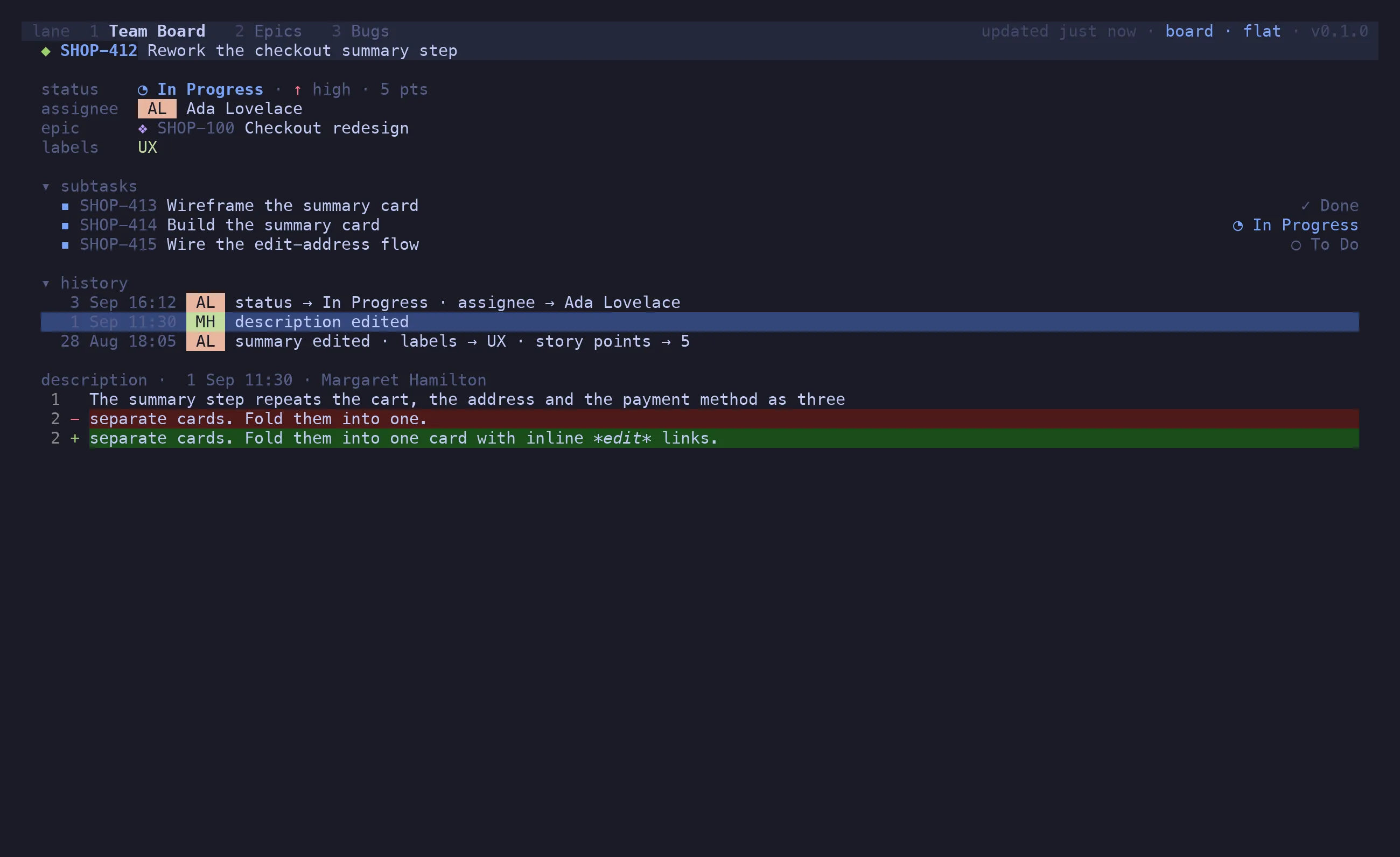
Section titled “History”z h unfolds the history: who changed what, when, newest first, with the churn (ranks, worklogs)
filtered out. ↵ on a text change — a description or summary edit — shows the old and new text
as a unified diff.
Editing
Section titled “Editing”| Keys | Does |
|---|---|
n |
new issue in context: a sub-task under the card, or a story in its epic; ^T cycles the type |
⇧N |
new top-level issue |
u |
undo the last create, while the notice under the board offers it |
e |
rename — an inline prompt for the summary |
i |
edit summary and description together in $EDITOR, as Markdown |
a |
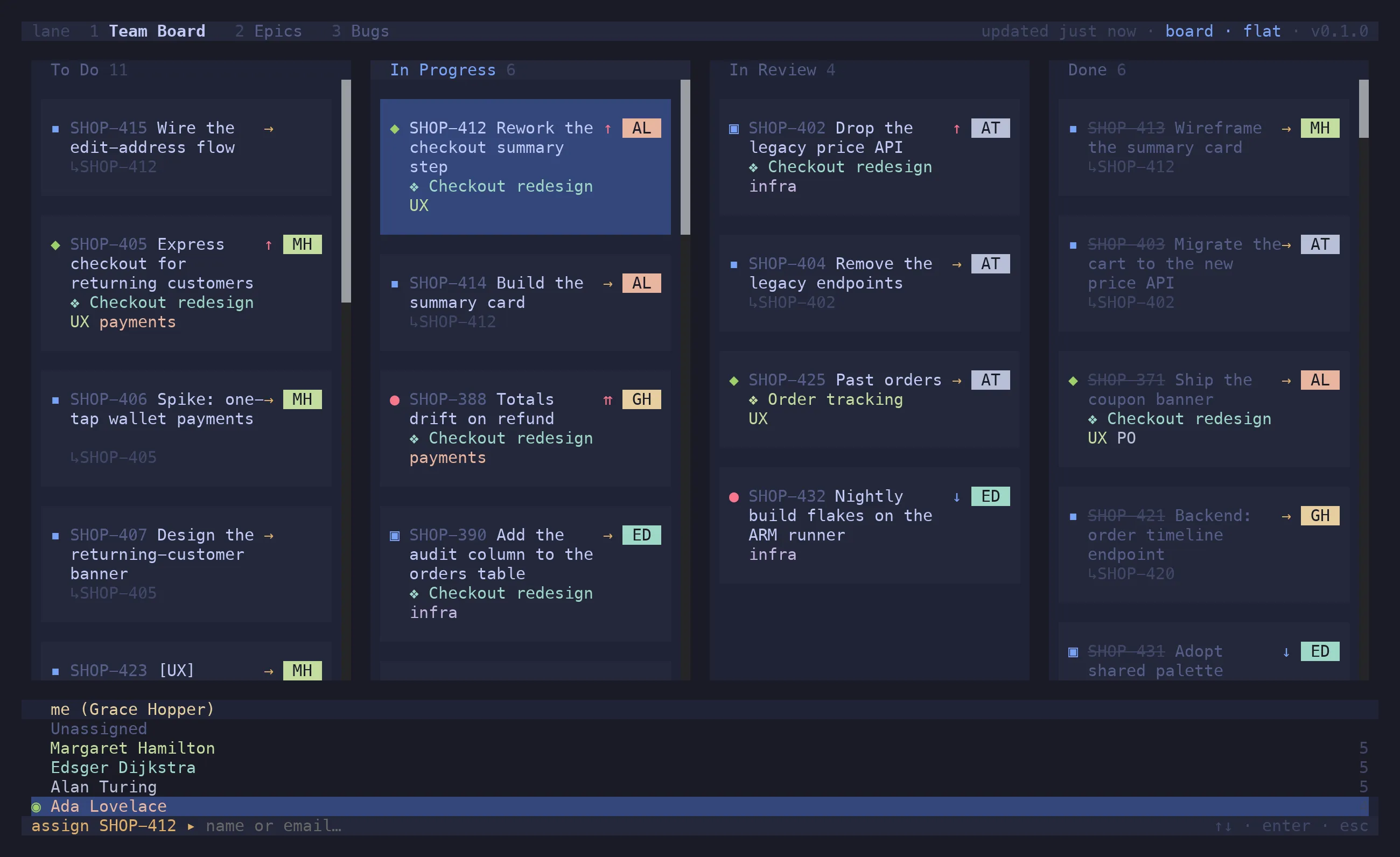
assign: me, unassigned, anyone on the board, or a typed name |
# |
labels: toggle existing ones, type to add |
⇧E |
set or detach the epic, from the epics on the board |
| — | change the type — Change type of SHOP-1… in the palette (^P); no key of its own |
⇧S |
set the status from the board’s statuses |
⇧R |
close as a reason — Jira’s resolution — or change a closed issue’s reason in hindsight |
⇧H / ⇧L |
move to the previous / next column — every marked issue, each from its own |
⇧J / ⇧K |
re-rank — the whole selection moves as one block |
Every one of these is optimistic: the card changes at once, and snaps back with a toast if Jira refuses.
A new issue shows up the moment you press Enter, as new…, and takes its key when Jira answers a
second or two later; until then it can’t be edited or moved. The notice under the board then offers
two things: ↵ opens the issue in the viewer, where you set its children, assignee and epic — press
it while the create is still in flight and it opens as soon as the key arrives — and u undoes the
create. Undo asks first (y deletes, n keeps), because it deletes the issue, or, where Jira
won’t let you delete, closes it as Won’t Do. A create Jira refuses leaves a notice with the reason,
and n reopens the prompt with what you typed. Moving a card into a column transitions the issue to that column’s first status; into
Done, it also attaches the resolution the workflow asks for, so an ordinary ⇧L works without a
dialog.
i hands the summary and body to $EDITOR in one buffer — a heading line, then Markdown — and
writes both back on save, converting to ADF. Headings, lists, tables, code, quotes, links and
checklists survive the round trip.
Bulk actions
Section titled “Bulk actions”space marks the issue under the cursor. ^A marks its siblings; pressed again it widens to the
cell, the lane, then the whole board. In the list and the viewer, ⇧V starts a visual range that
j / k extend; a second ⇧V ends the range and keeps what it covered as marks, while esc
abandons it (and, pressed again, clears the marks too).
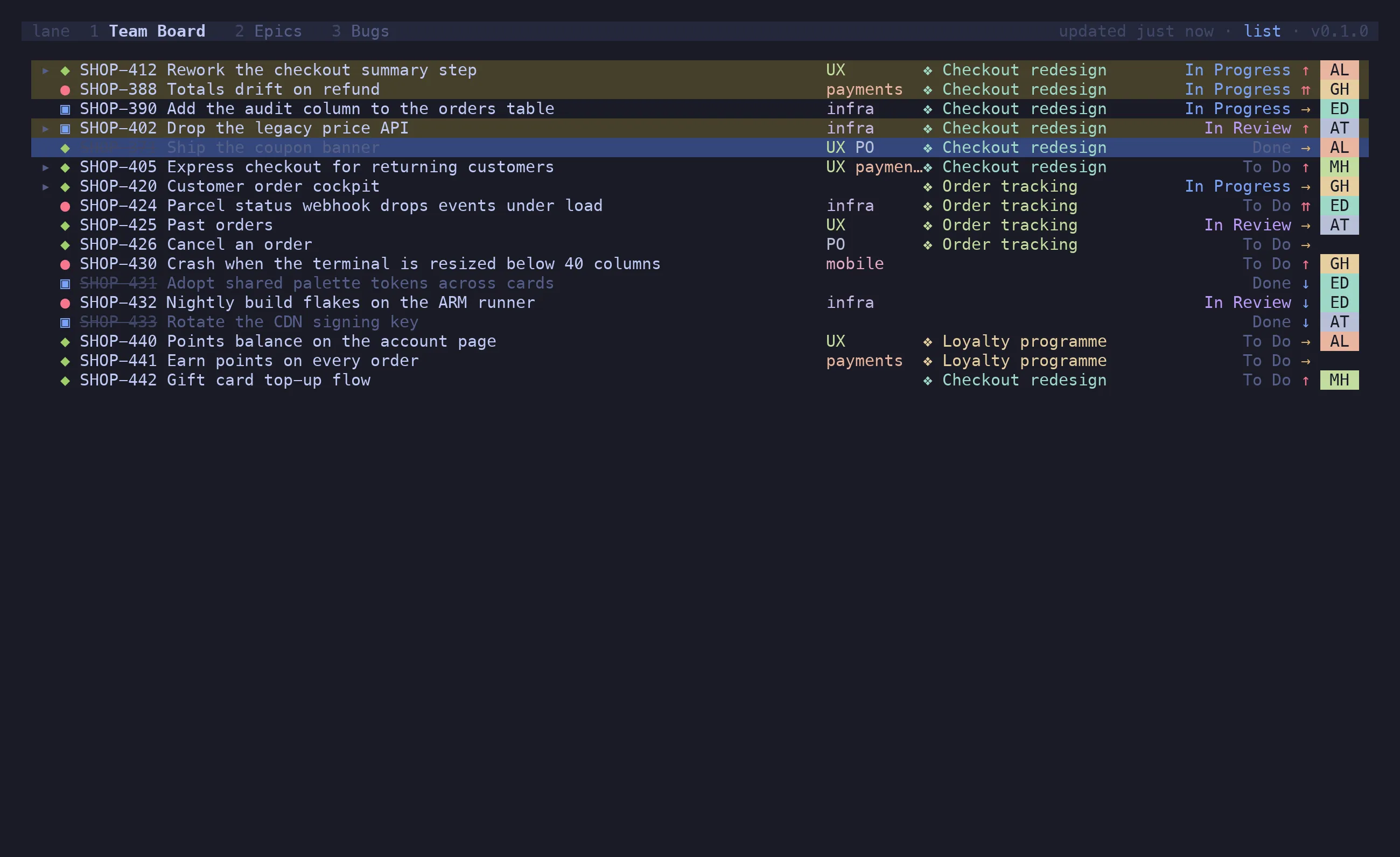
With a selection, the field editors act on all of it: ⇧S sets one status on every marked
issue, a assigns them all, # edits labels shared by all of them, ⇧E re-links them, ⇧R
closes them as one reason. The palette names the target — Set status of 3 selected… — so
there is no doubt what ↵ is about to do. Writes fan out per issue and revert individually,
so one refusal doesn’t undo the others.
⇧J / ⇧K re-rank the whole selection as one block, gathered at the cursor: marks scattered
down a column become contiguous where the cursor sits on the first press, and step together
after that. Rank is a column’s own order, so only the marks in the cursor’s column and at its
level take part — the toast says how many were left elsewhere. This one is a single write and
reverts whole: the issues are ranked relative to each other, so half of it is not a partial
success but a different order. In the backlog view the block crosses the divider whole, the
same as a single issue.
⇧H / ⇧L step every marked issue one status, each from its own, so promoting a batch from the
backlog onto the board is mark, mark, mark, ⇧L.
Copying
Section titled “Copying”| Keys | Copies |
|---|---|
y |
the key — or every marked key, one per line |
⇧Y |
the URL(s) |
⇧U |
the title(s) |
⇧D |
the description, as Markdown |
o opens the issue in the browser. ⇧O opens it in a new tmux window, rendered by
lane view <key>, which is handy when the description is long and you want it beside the board.
Closing with a reason
Section titled “Closing with a reason”Jira’s Done transitions usually require a resolution, and which one is a workflow fact. ⇧R
lists the instance’s resolutions — Done, Won’t Do, Duplicate, … — and transitions the issue
into Done carrying the one you pick. On an issue that is already closed, the same key changes
the reason without touching the status.
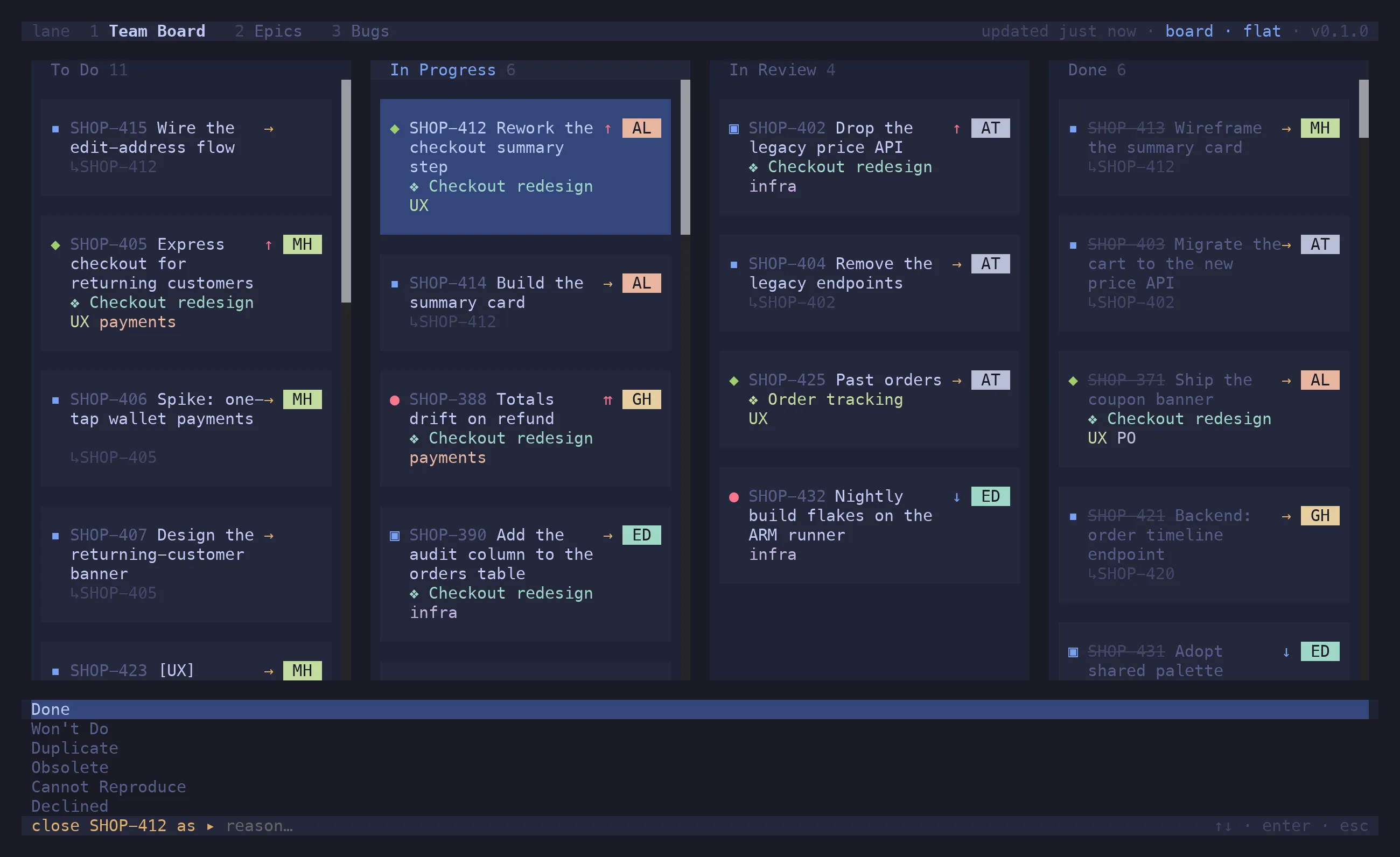
default_resolution in the config is what a plain ⇧L into Done sends when you didn’t pick
one.